


Best Trading Simulator Apps in 2026: Practice Trading Risk-Free


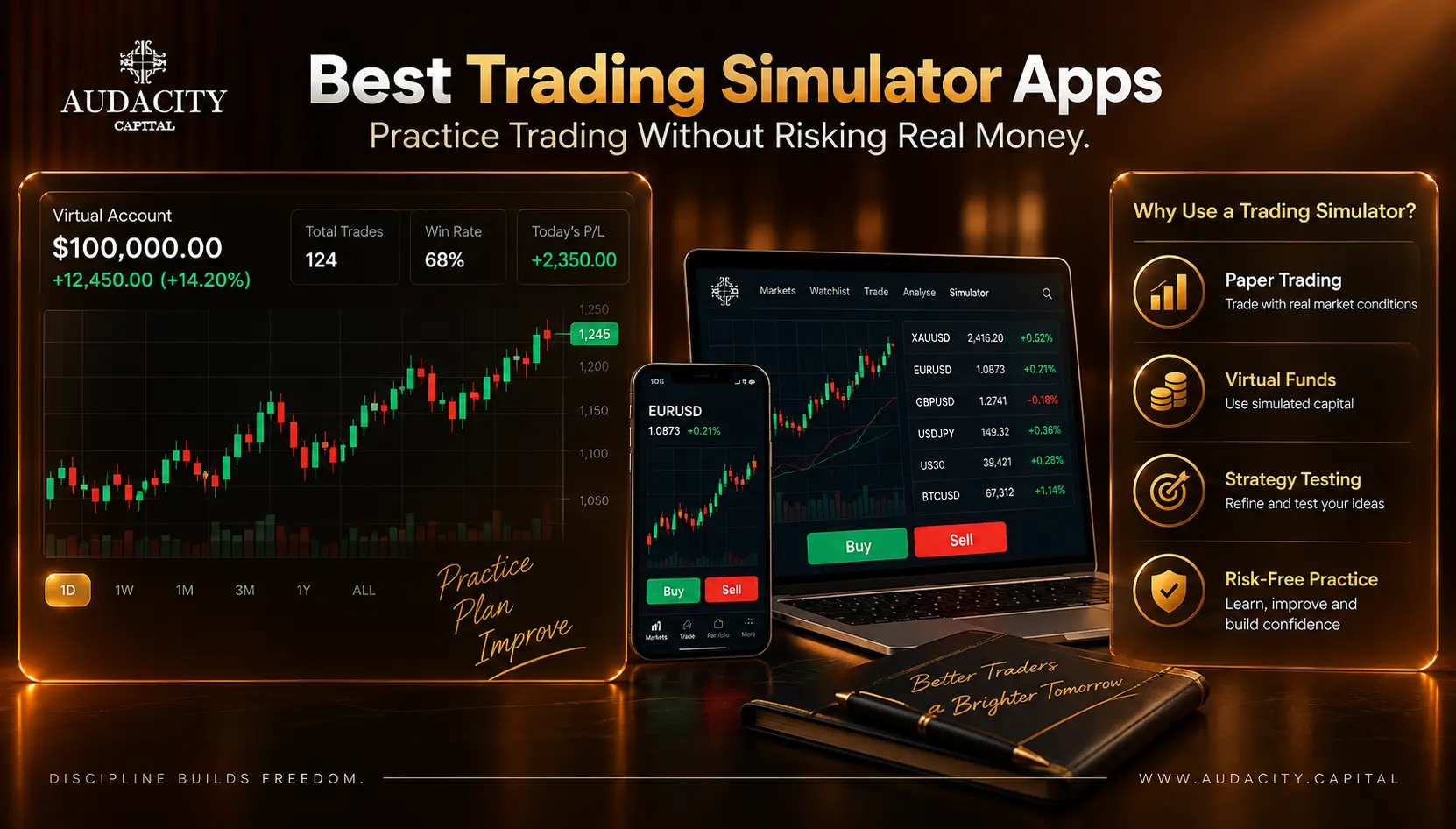
Best Trading Simulator Apps in 2026
A trading simulator lets you practise buying and selling financial instruments using virtual money instead of risking real capital.
The best trading simulator apps do more than show a chart and let you click Buy or Sell. A useful simulator should help you practise order execution, position sizing, stop-loss placement, trade management, strategy testing and risk control in an environment that resembles the market you eventually plan to trade.
Some platforms are designed primarily for stocks and options. Others are better suited to forex, futures, crypto or multi-asset trading. Some focus on realistic execution, while others are designed mainly to teach beginners the basics.
This guide compares the best trading simulator apps in 2026, explains what each one is suited for, and shows how to choose a simulator based on your trading goals.
Quick answer: There is no single trading simulator that is ideal for every trader. TradingView is particularly useful for chart-based paper trading and strategy practice, MetaTrader 5 and cTrader are useful for forex and platform-based execution practice, Neostox is designed around Indian stocks, futures and options, while platforms such as eToro and thinkorswim provide broader virtual portfolios for their supported markets.
Best Trading Simulator Apps at a Glance
Trading Simulator | Best For | Main Markets | Mobile | Free Practice |
|---|---|---|---|---|
TradingView Paper Trading | Chart-based trading | Stocks, forex, crypto, futures and more | Yes | Yes |
MetaTrader 5 Demo | Forex & multi-asset execution | Forex, metals, indices, commodities and broker-supported markets | Yes | Yes |
cTrader Demo | Forex execution & order practice | Forex and broker-supported markets | Yes | Yes |
eToro Virtual Portfolio | Beginners & multi-asset investing | Stocks, ETFs, crypto and other supported instruments | Yes | Yes |
thinkorswim paperMoney | Active stocks & options traders | Stocks, options, futures and supported markets | Yes | Yes |
Interactive Brokers Paper Trading | Global markets | Stocks, options, futures, forex and more | Yes | Yes* |
Neostox | Indian stock-market practice | Stocks, futures and options | Yes | Trial |
Trading Game | Beginners & learning | Stocks and other supported markets | Yes | Limited/free features |
NinjaTrader Simulator | Futures & active trading | Futures and supported instruments | Yes/Desktop | Yes |
Webull Paper Trading | Mobile stock trading practice | Stocks, ETFs and options | Yes | Yes |
Investopedia Simulator | Beginners learning stocks | Stocks and supported instruments | Web | Yes |
TradingSim | Market replay practice | Stocks and futures | Web/Desktop | Trial |
*Account and market-access requirements vary by provider.
Important: Features, supported markets, pricing and availability can vary by country, broker, account type and platform version. Always check the provider's current terms before signing up.
What Is a Trading Simulator?
A trading simulator is a platform that allows you to practise trading with virtual funds rather than real money.
Instead of placing an order with your actual capital, you can simulate:
- Market orders
- Limit orders
- Stop orders
- Stop-losses
- Take-profit levels
- Position sizing
- Portfolio management
- Trade entries and exits
- Strategy testing
- Risk management
For example, you could create a virtual $50,000 account and practise risking 1% per trade.
If the trade loses $500, the loss is simulated rather than deducted from your bank account.
TradingView describes its Paper Trading feature as a simulated trading environment using virtual funds, while MetaTrader 5 provides demo accounts specifically for testing strategies without real money.
Trading Simulator vs Paper Trading vs Demo Account
These terms are often used interchangeably, but there can be subtle differences.
Feature | Trading Simulator | Paper Trading | Demo Account |
|---|---|---|---|
Virtual money | Yes | Yes | Yes |
Real financial risk | No | No | No |
Real market prices | Depends on platform | Often | Usually |
Strategy testing | Often | Often | Depends on broker |
Historical replay | Some platforms | Some | Less common |
Designed to mimic live platform | Varies | Often | Usually |
Best for | Practice & testing | Trade rehearsal | Platform familiarisation |
In practice, the important question isn't what the platform calls itself.
The better question is:
What exactly does the simulator simulate?
A simulator using delayed prices and simplified fills teaches something different from one that lets you practise with live market conditions, realistic order types and detailed trade records.
12 Best Trading Simulator Apps
1. TradingView Paper Trading
Best for: Chart-based trading, technical analysis and multi-market practice
TradingView is one of the most versatile choices for traders who want to combine chart analysis with simulated execution.
Its Paper Trading feature allows users to practise using virtual funds. TradingView says Paper Trading is available globally and supports assets including stocks, forex, crypto, commodity and index futures, and more.
Key features
- Virtual trading
- Advanced charts
- Multiple timeframes
- Technical indicators
- Drawing tools
- Market, limit and stop orders
- Risk-management tools
- Strategy testing
- Historical Bar Replay
- Multiple asset classes
- Mobile and web access
TradingView also provides strategy-report functionality that can help traders analyse historical performance using metrics such as net profit, profit factor, win rate and drawdown.
Why choose TradingView?
It is particularly useful if your trading process starts with chart analysis.
You can analyse a setup, simulate an entry, define your stop-loss and target, and review the result without leaving the same environment.
Best suited to: Beginners, technical traders, forex traders, stock traders, swing traders and strategy developers.
2. MetaTrader 5 Demo
Best for: Forex traders and traders preparing to use MT5
MetaTrader 5, commonly called MT5, is a major trading platform used across forex and other markets.
Its demo accounts allow traders to practise without investing real money. MetaTrader states that demo accounts provide the same platform functionality as live accounts for training and strategy testing, although they do not involve real funds.
Key features
- Demo trading
- Market orders
- Pending orders
- Stop-loss and take-profit
- Multiple timeframes
- Technical indicators
- Expert Advisors
- Strategy testing
- Desktop and mobile apps
- Broker-connected environments
Why choose MT5?
If your eventual trading environment uses MT5, practising on MT5 can help you become familiar with:
- Order placement
- Position management
- Charts
- Market Watch
- Stop-loss and take-profit
- Trade history
- Account information
This makes MT5 particularly relevant for traders who plan to transition from demo practice to a broker or funded trading environment that uses the same platform.
Best suited to: Forex traders, algorithmic traders and traders preparing for MT5-based trading.
3. cTrader Demo
Best for: Forex traders who want to practise order execution
cTrader provides demo accounts with virtual funds, allowing traders to practise the platform's functionality without risking real money.
You can create a demo account with settings such as:
- Virtual deposit
- Account currency
- Leverage
- Account type
cTrader supports both web and mobile experiences, with demo accounts available through its cross-broker platform.
Key features
- Demo trading
- Advanced order management
- Charting
- Multiple account types
- Virtual funds
- Mobile access
- Desktop/web access
- Trading tools
Why choose cTrader?
cTrader is particularly useful if you want to practise the same type of order workflow you may encounter in a professional forex trading environment.
Best suited to: Forex traders, active traders and traders preparing for cTrader-based funded accounts.
4. eToro Virtual Portfolio
Best for: Beginners who want simple multi-asset practice
eToro provides a Virtual Portfolio that allows users to practise with virtual funds while following real market movements.
According to eToro, its demo environment provides $100,000 in virtual funds and allows users to practise using the platform's supported instruments and features.
Key features
- $100,000 virtual funds
- Real-time market practice
- Stocks
- ETFs
- Crypto
- Copy-investing features
- Stop-loss
- Take-profit
- Mobile access
Why choose eToro?
The interface is designed to be relatively accessible to newer users.
It's useful if your goal is to learn basic portfolio and order-management concepts without starting with a highly technical trading terminal.
Best suited to: Beginners and multi-asset investors.
5. thinkorswim paperMoney
Best for: Active stock, options and futures traders
thinkorswim's paperMoney environment is designed to let traders practise using simulated funds and the thinkorswim trading interface.
It is particularly relevant to traders who want to practise more advanced trading workflows around US markets.
Key features
- Simulated trading
- Advanced charting
- Options analysis
- Technical indicators
- Trade analysis
- Strategy testing
- Mobile and desktop access
- Stocks and supported derivatives
Why choose thinkorswim?
Its strength is depth.
If you want to move beyond simple buy-and-sell practice and explore more advanced trading structures, it provides a more sophisticated environment.
Best suited to: Active stock, options and futures traders.
6. Interactive Brokers Paper Trading
Best for: Traders who want broad global-market exposure
Interactive Brokers provides paper trading for users who want to test strategies before committing real capital.
The platform is particularly relevant for traders who need access to multiple asset classes and international markets.
Key features
- Stocks
- Options
- Futures
- Forex
- Bonds
- Global markets
- Advanced order types
- Portfolio analysis
- Algorithmic trading tools
Why choose Interactive Brokers?
Its major advantage is market breadth.
The platform can be more complicated for beginners, but experienced traders who want to practise across different markets may find the depth useful.
Best suited to: Experienced traders and multi-market traders.
7. Neostox
Best for: Indian stock, futures and options practice
Neostox is specifically focused on virtual trading and educational practice.
Its current platform allows users to practise stocks, futures and options using virtual money. It also provides charts, screeners, options tools and performance reports.
Key features
Indian stocks
- Futures
- Options
- Virtual capital
- Charts
- Options chain
- Screeners
- Basket orders
- Performance reports
- Android app
One important consideration is that Neostox currently states that its market prices are delayed by 30 days, so traders should understand that limitation when assessing how closely it replicates live execution.
Why choose Neostox?
It is particularly relevant for traders who want to practise Indian-market strategies before using real capital.
Best suited to: Indian stock, futures and options traders.
8. Trading Game
Best for: Beginners who want a learning-focused trading simulator
Trading Game combines simulated trading with educational content and game-style learning.
Its current Google Play listing describes the app as a stock-market simulator with AI-assisted learning, trading practice, strategy testing and educational content. It currently has more than 1 million downloads on Google Play.
Key features
- Trading simulation
- Beginner education
- Stock-market practice
- AI-assisted features
- Trading games
- Strategy practice
- Mobile app
Why choose Trading Game?
The gamified format can make it easier for beginners to stay engaged while learning basic concepts.
Best suited to: Beginners who prefer a mobile-first, educational experience.
9. NinjaTrader Simulator
Best for: Futures and active traders
NinjaTrader is particularly well known among futures traders and provides simulation functionality for practising trades without risking live capital.
Key features
- Futures trading practice
- Market replay
- Charting
- Order-flow tools
- Strategy development
- Historical testing
- Advanced trading tools
Why choose NinjaTrader?
Market replay can be particularly useful for traders who want to practise historical sessions rather than wait for the market to produce a particular setup again.
Best suited to: Futures traders, day traders and traders learning order flow.
10. Webull Paper Trading
Best for: Mobile-first stock and options practice
Webull provides a paper-trading environment for practising supported markets with virtual money.
Key features
- Mobile trading
- Virtual portfolio
- Stocks
- ETFs
- Options
- Charting
- Market data
- Order practice
Why choose Webull?
The mobile-first experience makes it useful for traders who want to practise without using a desktop trading terminal.
Best suited to: Mobile traders and US stock/options traders.
11. Investopedia Simulator
Best for: Beginners learning stock-market basics
Investopedia's simulator is designed around learning through simulated trading.
The major advantage is the educational ecosystem surrounding the simulator.
Key features
- Virtual trading
- Stock-market practice
- Portfolio tracking
- Competition features
- Educational resources
- Beginner-friendly learning
Why choose it?
If you're still learning concepts such as:
- Market orders
- Limit orders
- Stop-losses
- Position sizing
- Portfolio allocation
an educational simulator can be easier to understand than a professional trading terminal.
Best suited to: Complete beginners.
12. TradingSim
Best for: Historical market replay
TradingSim focuses heavily on historical market simulation.
Instead of waiting for a live market session, traders can replay historical conditions and practise decision-making.
Key features
- Historical market replay
- Charting
- Trade simulation
- Performance review
- Repeated practice
- Day-trading practice
Why choose TradingSim?
It is useful for traders who want to repeat the same market environment multiple times and compare different decisions.
Best suited to: Day traders and traders working on pattern recognition.
How to Choose the Best Trading Simulator App
Don't choose a simulator simply because it has the largest virtual balance or the most attractive interface.
Look at these factors instead.
1. What Market Do You Want to Trade?
Start with the asset.
Forex
Consider:
- MetaTrader 5
- cTrader
- TradingView
Stocks
Consider:
- TradingView
- eToro
- thinkorswim
- Webull
- Investopedia Simulator
Indian Stocks and Derivatives
Consider:
- Neostox
- TradingView
- Other India-focused paper-trading platforms
Futures
Consider:
- TradingView
- NinjaTrader
- Interactive Brokers
Multi-Asset Trading
Consider:
- TradingView
- Interactive Brokers
- eToro
The best trading simulator for a forex trader does not necessarily make sense for an options trader.
2. Does It Use Real-Time or Delayed Data?
This is one of the most important questions.
A simulator can feel realistic while using delayed data.
For example, Neostox currently states that its market prices are delayed by 30 days.
TradingView's Paper Trading, on the other hand, is designed to simulate trades in live market conditions, although the availability of real-time data can depend on the relevant market/data source.
Before choosing a platform, ask:
- Is the data live?
- Is it delayed?
- Which exchange provides the data?
- Is real-time data included or paid?
- Are spreads simulated?
3. Does the Simulator Model Trading Costs?
A simulator that ignores trading costs can make a strategy look better than it might be in practice.
Look for the ability to account for:
- Commission
- Spread
- Slippage
- Contract fees
- Financing or swap costs where relevant
- Exchange fees
The closer your simulation is to the environment you eventually plan to trade, the more useful your results can be.
4. What Order Types Are Available?
A basic simulator might only let you buy and sell.
A more advanced simulator should let you practise:
- Market orders
- Limit orders
- Stop orders
- Stop-loss
- Take-profit
- Trailing stops
- Bracket orders
- Conditional orders
This matters because execution is part of trading.
5. Can You Control Position Size?
This is particularly important.
If your simulator gives you $1 million and you casually risk $20,000 on every trade, your practice may not prepare you for a $10,000, $50,000 or $100,000 account.
Try to match your virtual account to the type of account you expect to trade.
For example:
Virtual balance: $50,000
Risk per trade: 0.5%
Maximum risk: $250
That creates a much more useful practice environment than randomly changing position sizes.
6. Does It Have Historical Replay?
Historical replay is useful when you want to practise:
- Breakouts
- Liquidity sweeps
- Support and resistance
- Supply and demand
- Market structure
- News-event reactions
- Session openings
Instead of waiting for a setup to appear, you can replay previous market conditions and practise decision-making without knowing what happens next.
7. Can You Review Your Trades?
This is where many beginner simulators fall short.
Look for:
- Trade history
- Win rate
- Average win
- Average loss
- Maximum drawdown
- Profit factor
- Risk/reward
- Expectancy
- Average holding time
- Performance by setup
A simulator should help you learn from your trades, not simply tell you whether your virtual balance went up.
Best Trading Simulator Apps by Trader Type
Trader Type | Suitable Options |
|---|---|
Complete beginner | Trading Game, Investopedia Simulator, eToro |
Forex trader | MT5, cTrader, TradingView |
Technical-analysis trader | TradingView |
Indian stock trader | Neostox, TradingView |
Options trader | thinkorswim, Interactive Brokers, Neostox |
Futures trader | NinjaTrader, TradingView, Interactive Brokers |
Mobile trader | Trading Game, eToro, Webull |
Multi-asset trader | TradingView, Interactive Brokers, eToro |
Historical replay trader | TradingSim, NinjaTrader, TradingView |
Future funded trader | MT5, cTrader, TradingView |
Are Free Trading Simulator Apps Good Enough?
They can be.
You don't necessarily need to pay for a simulator when you're learning the basics.
A free simulator can help you practise:
- Order placement
- Chart reading
- Position sizing
- Stop-loss placement
- Trade management
- Basic strategy testing
However, free doesn't always mean realistic.
Before choosing one, check:
Data → Execution → Costs → Order types → Markets → Analytics
A free simulator with highly unrealistic execution may teach you less than a simple demo account connected to the platform you eventually plan to use.
What Is the Best Trading Simulator for Beginners?
For a beginner, the most important feature isn't the number of indicators.
It's simplicity plus useful feedback.
A beginner should be able to:
- Open a virtual account
- Select an instrument
- Analyse the chart
- Choose a position size
- Place an order
- Set a stop-loss
- Set a target
- Monitor the position
- Close the trade
- Review the result
Trading Game and eToro can be useful for beginners who prefer a simple learning experience, while TradingView can be useful once the trader wants deeper chart analysis.
What Is the Best Trading Simulator for Forex?
For forex traders, the choice should depend heavily on the platform you expect to use later.
MetaTrader 5
Useful for traders who want to practise on MT5.
cTrader
Useful for traders who want to practise cTrader's order and account-management environment.
TradingView
Useful for traders who prioritise chart analysis and want paper trading alongside technical-analysis tools.
Both MT5 and cTrader provide demo environments specifically designed for risk-free practice.
Can a Trading Simulator Make You a Better Trader?
A simulator can help you practise trading skills, but it cannot guarantee that you will become profitable.
The main benefits are repetition and feedback.
You can use simulation to identify:
- Whether you follow your trading plan
- How often you move your stop-loss
- Whether you close winners too early
- Whether your position size is consistent
- Which setups perform better
- How large your drawdowns can become
Neostox itself makes a similar distinction: simulation can provide a place to prepare, but it cannot guarantee profitability or remove the psychological difference between virtual and real money.
What Trading Simulators Cannot Reproduce
This is one of the most important limitations.
Virtual money does not create exactly the same psychological response as real money.
A simulator may not fully reproduce:
- Fear of losing actual savings
- Emotional pressure
- Hesitation
- Revenge trading
- Fear of missing out
- Stress after a large loss
- Pressure associated with withdrawals
- Behaviour caused by personal financial circumstances
There can also be differences in:
- Slippage
- Liquidity
- Spread
- Execution speed
- Partial fills
- Market gaps
- News volatility
Therefore, a profitable simulator result should be treated as evidence about your strategy and execution practice, not proof that you will make the same returns with real capital.
How to Use a Trading Simulator Properly
Simply opening a virtual account and making random trades isn't enough.
Use a structured process.
Step 1: Set a realistic account size
If you expect to trade a $50,000 account later, don't automatically practise with $1 million.
Step 2: Set a risk limit
For example:
Maximum risk per trade: 0.5%
Step 3: Choose one strategy
Don't change strategies every three trades.
Step 4: Define your entry
Write down what must happen before you enter.
Step 5: Define your stop-loss
Know where your trade idea becomes invalid.
Step 6: Define your target
Decide how you will manage the position before entering.
Step 7: Record every trade
Track:
- Setup
- Entry
- Stop
- Target
- Position size
- Result
- Reason for entry
- Mistakes
Step 8: Review a meaningful sample
Don't decide whether a strategy works after five trades.
A larger sample can provide more useful information about how the approach behaved under the tested conditions.
Trading Simulator for Funded Trading
If your goal is eventually to trade through a funded trading program, your simulator should replicate the environment as closely as possible.
For example, if your intended trading platform is MT5, practising on MT5 can help you develop familiarity with the same order interface and workflows.
Similarly, cTrader users can practise in a cTrader demo account before using a funded account on the same platform.
What should you practise?
Don't focus only on profit.
Practise:
- Maximum daily loss
- Maximum drawdown
- Position sizing
- Stop-loss discipline
- Trade frequency
- News-event behaviour
- Overnight positions
- Weekend positions
- Risk per trade
- Consistency
A trader who makes 20% in a simulator while repeatedly violating their own risk rules may be less prepared than a trader who makes 5% while consistently following a defined process.
Trading Simulator vs Funded Trading Account
These are different environments.
Feature | Trading Simulator | Funded Trading |
|---|---|---|
Capital | Virtual | Depends on programme structure |
Personal money at risk | No | Depends on terms |
Trading rules | Usually self-imposed | Programme-specific |
Drawdown limits | Often optional | Usually defined by programme |
Psychological pressure | Lower | Different from simulation |
Payouts | No real payout | Subject to programme terms |
Main purpose | Practice | Trading under programme conditions |
A simulator is therefore best viewed as a practice environment, not a replacement for understanding the rules and conditions of a funded trading programme.
How We Evaluated Trading Simulator Apps
Rather than selecting apps purely by popularity, this comparison considers:
Market coverage
Does the platform support the markets you actually want to practise?
Simulation quality
Does it provide realistic market conditions and execution?
Order functionality
Can you practise different order types and risk-management tools?
Data
Is market data live, delayed or dependent on a subscription?
Analytics
Can you review your performance after trading?
Strategy testing
Can you replay markets or test strategies historically?
Accessibility
Is the platform available on mobile, web, desktop or multiple devices?
Beginner usability
Can someone unfamiliar with trading understand how to use it?
Transition value
Does the platform help you become familiar with the type of trading environment you may eventually use?
Common Mistakes When Using Trading Simulators
1. Treating virtual money like real money
If there are no consequences, traders often take excessive risks.
2. Using unrealistic account sizes
Practising with $1 million may produce very different behaviour from trading a $10,000 account.
3. Ignoring trading costs
A strategy that works before commissions and spreads may behave differently after costs.
4. Changing strategies constantly
You need enough trades to evaluate an approach.
5. Focusing only on profit
A large virtual return doesn't automatically mean good trading.
6. Ignoring drawdown
Track how much your account falls, not just how much it gains.
7. Overtrading
A simulator can make it tempting to trade constantly because there is no financial consequence.
8. Moving to live trading too quickly
A few profitable demo trades aren't enough evidence to justify increasing risk.
Are Trading Simulator Apps Safe?
Trading simulators generally use virtual funds, so trades themselves do not expose your account to the same financial risk as real-money trading.
However, you should still consider:
- The app developer
- Privacy policy
- Data permissions
- Account security
- Subscription terms
- In-app purchases
- Whether the platform actually uses simulated funds
- Whether the platform is a broker or only a simulator
For example, Neostox explicitly states that it is a virtual trading and educational platform rather than a stockbroker and that its trades are not sent to a stock exchange.
Trading Simulator App Checklist
Before choosing an app, ask:
- Does it support my market?
- Does it have the order types I need?
- Is the market data live or delayed?
- Does it simulate spreads?
- Does it account for commissions?
- Can I set stop-loss and take-profit?
- Can I control position size?
- Does it offer historical replay?
- Can I backtest?
- Does it provide performance analytics?
- Is it available on my device?
- Does it require a broker account?
- Is it free or subscription-based?
- Can I export my trade history?
- Does the platform match the environment I eventually want to trade?
Final Thoughts: Choosing a Trading Simulator
The best trading simulator app isn't necessarily the one with the largest virtual balance, the most indicators or the highest number of downloads.
Choose one that matches the market you want to trade and the skills you want to develop.
For example:
- TradingView → charting and multi-market paper trading
- MT5 → forex and platform-based execution
- cTrader → forex and advanced order practice
- eToro → beginner-friendly virtual investing
- Neostox → Indian stocks, futures and options
- Trading Game → mobile-first learning
- thinkorswim → advanced US-market practice
- NinjaTrader → futures and replay
- Interactive Brokers → global multi-asset practice
Most importantly, use simulation to practise process rather than just profit.
Set realistic position sizes, follow predefined risk limits, record your trades and review your performance. A simulator becomes much more valuable when it is treated as a structured training environment rather than a game.
If your eventual goal is funded trading, choose a simulator and platform that closely match the environment you expect to trade, then focus on developing repeatable execution and risk-management habits before moving to the next stage.
Related Articles
8 Best Day Trading Simulators for Beginners
7 Best Paper Trading Simulators
Frequently Asked Questions
The right choice depends on your market and trading style. TradingView is a versatile choice for chart-based paper trading, MT5 and cTrader are particularly relevant for forex and platform-based execution practice, while Neostox is focused on Indian stocks, futures and options.
TradingView Paper Trading and MetaTrader 5 demo accounts provide ways to practise without using real trading capital. Availability of specific features and market data can vary.
Beginners may prefer a simpler platform such as Trading Game or eToro, while TradingView can be useful for learning chart analysis and more advanced technical workflows.
Yes. Forex traders can use demo or paper-trading environments such as MetaTrader 5, cTrader and TradingView to practise with virtual funds.
No. Paper trading can replicate many mechanical aspects of trading, but it cannot perfectly reproduce the psychological effects of risking real money. Execution, liquidity, spreads and other conditions can also differ.
Yes. Several platforms provide mobile applications or mobile-compatible trading environments, including TradingView, MetaTrader 5, cTrader, eToro and Trading Game.
No simulator can guarantee profitability. Simulation can help you practise execution, test strategies and identify weaknesses, but real-market results can differ.
There is no universal timeframe. Continue until you can demonstrate consistent execution of your trading plan over a meaningful sample of trades rather than simply waiting for a particular number of days or weeks.
A demo account is usually provided by a broker or trading platform and is designed to replicate its live trading environment. “Trading simulator” is a broader term that can include standalone educational apps, paper-trading tools, historical replay platforms and broker demos.
Yes. A simulator can help you practise the mechanics and risk-management habits needed for a funded trading environment. If you intend to use a specific platform such as MT5 or cTrader, practising on the same platform can also help you become familiar with its workflow.
Some offer free paper trading or demo accounts, while others provide limited free access or require a subscription. Always check the provider's current pricing and feature restrictions.

هل أنت مستعد لتطبيق مخاطر منضبطة على العملات المشفرة؟ استكشف أدوات التشفير الجديدة من Audacity Capital واجلب استراتيجية التداول الخاصة بك.
اعرف المزيدالنشرة الإخبارية
انضم إلى نشرتنا الإخبارية.
انضم إلى مجتمعنا الاجتماعي

ابدأ رحلتك اليوم مع تجربتنا المجانية
اعرض مهاراتك وإنجازاتك بفخر من خلال الشهادات واحصل على تقدير لعملك الجاد وتفانيك من المستثمرين المحتملين والأقران.
تجربة مجانيةمقالات ذات صلة

Prop Firms With No Consistency Rule in 2026
Compare prop firms with no consistency rule. Find firms offering flexible profit requirements, trading conditions, and payout policies for traders.


Micro Futures Contracts Explained
What micro futures contracts are, why a smaller size does not mean lower risk, the margin trap that catches small accounts, and what they actually cost.
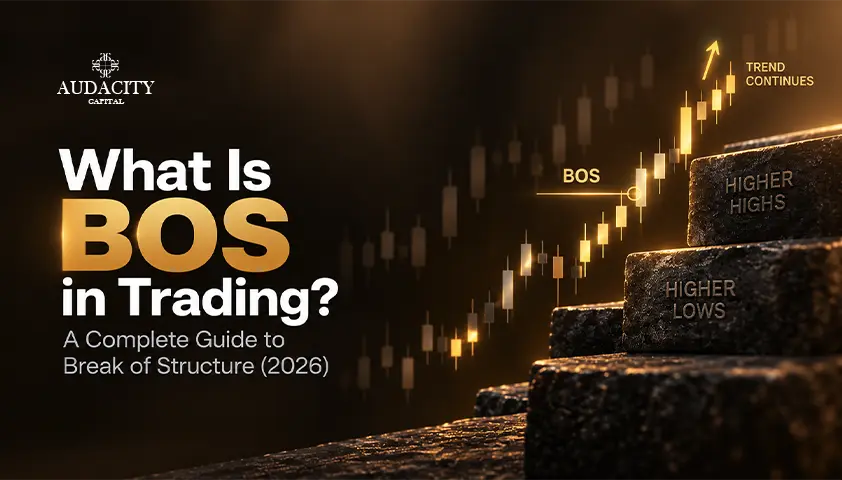
What Is BOS in Trading? A Complete Guide to Break of Structure (2026)
Learn what BOS in trading means, how Break of Structure works, how to identify bullish and bearish BOS, and how traders use it in market analysis.
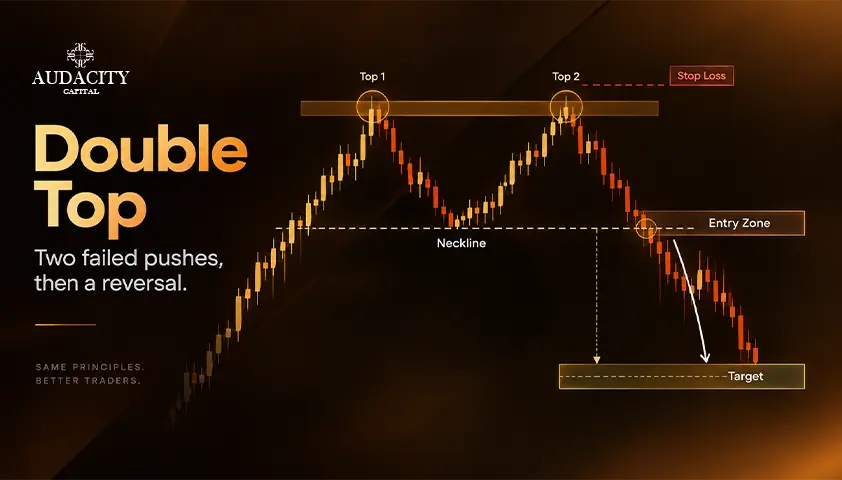
Double Top Pattern: How to Trade It
Learn how to identify, confirm, and trade a valid double top pattern with precise targets and stops.