



Best Forex Trading App For Beginners


Forex trading apps make it possible to analyze currency pairs, manage positions and execute trades directly from a smartphone. For beginners, choosing the right app means looking beyond a clean interface and comparing regulation, trading costs, available markets, risk-management tools, execution and demo-account access. This guide compares seven forex trading apps based on those factors to help new traders find an option that fits their needs.
Key Takeaways
- The best forex trading app for beginners starts with regulation, so check for FCA, ASIC, CySEC or CFTC oversight before funding an account.
- A clean interface prevents costly execution mistakes when the market moves fast.
- Demo accounts let beginners practice order placement without risking real money.
- Low spreads and transparent fees protect an account's growth over the long run.
- Mobile trading calls for discipline, starting with a stop-loss on every trade.
Best Forex Trading Apps for Beginners
Picking a broker starts with a short checklist: proper licensing, a solid spread of currency pairs, low fees, and an app that doesn't freeze mid-trade. Dozens of brokers compete for beginner traders, which is exactly why filtering matters more than browsing.
With so many forex trading apps available, this guide compares seven options based on regulation, costs, usability, features and trading tools. It is drawn from the same pool traders search for as top 10 forex trading apps, judged strictly on performance and investor protections.
1. eToro – Best for Social & Copy Trading
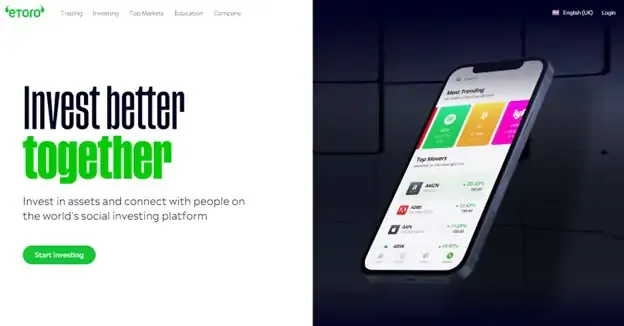
Social trading is eToro's core idea. Instead of trading in isolation, users can follow and automatically replicate the positions of traders with a track record, which is part of why eToro has become a household name in retail FX.
Key Features:
- Automated portfolio replication through CopyTrader.
- Live sentiment data showing which way the crowd is leaning on a pair.
- Push alerts for price moves a trader wants to track.
Forex Pairs & Instruments: The platform offers access to more than 50 currency pairs across majors, minors and a curated set of exotics, on top of its stock, crypto and commodity markets.
Trading Platforms: eToro's own mobile app, built natively for iOS and Android, powers the entire experience rather than relying on a bolted-on MetaTrader integration.
Demo Account: A free, unlimited demo account comes preloaded with $100,000 in virtual funds, giving a new trader room to practice without a countdown clock.
Fees / Spreads: There's no commission on forex trades, only a variable spread that typically opens around 1.0 pip on EUR/USD. Two fees to note are $5 per withdrawal and $10 a month if the account sits untouched for a full year.
Beginner Usability: Visual order panels lay out risk and size clearly before confirmation, which keeps a first-time trader from guessing.
Pros:
It give new traders a way to learn from people who already know what they're doing.
This app rarely requires a manual to place a first order.
It bundles forex with stocks and crypto under one login.
Cons:
They run wider spreads than traders will find at ECN-style brokers.
This fee structure penalizes anyone who logs in only occasionally.
2. FXTM – Best for Low Minimum Deposits & MT5 Integration

FXTM's pitch is simple: you start small and trade on real infrastructure. The broker pairs micro-account access with the kind of execution usually reserved for bigger balances.
Key Features:
- Micro-lot sizing down to 1,000 currency units per position.
- Full support for Expert Advisors and automated strategies.
- Educational material and support offered in multiple languages.
Forex Pairs & Instruments: Traders get access to 60+ pairs, from the major crosses down to less common emerging-market currencies.
Trading Platforms: The broker's execution runs through MetaTrader 5 on mobile, alongside FXTM's own app.
Demo Account: The free MT5 demo pulls in live pricing, so practice trades behave like real ones.
Fees / Spreads: Advantage accounts start spreads at 0.0 pips with a commission added per lot, while the Micro account keeps things simple with spread-only pricing and a deposit minimum as low as $10.
Beginner Usability: New users face a real learning curve with MetaTrader's mobile layout, though structured tutorials help flatten it.
Pros:
This broker makes live trading possible without a large upfront deposit.
It gives a growing trader room to move into automated and algorithmic strategies later.
It offers a genuinely deep pair list for a micro-account broker.
Cons:
This platform isn't the easiest one to pick up cold, especially for someone new to MetaTrader.
They charge more in spread on the entry-level accounts than on the commission-based options.
3. cTrader – Best for Advanced Charting & Execution
cTrader is a multi-asset trading platform built by Spotware, used by more than 300 brokers and prop firms worldwide. A trader gets the same polished interface and execution tools no matter which supported broker actually holds the account.
Key Features:
- Level II market depth (DOM), showing the real order book instead of a single bid and ask.
- cTrader Algo, a built-in space for coding and running automated strategies (cBots) in C# or Python.
- cTrader Copy, native copy trading built straight into the platform.
Forex Pairs & Instruments: Coverage depends on the broker behind the connection. Most cTrader brokers list well over 60 currency pairs, plus CFDs on indices, commodities, shares, and crypto.
Trading Platforms: cTrader runs on Windows, Mac, a browser-based web terminal, and native iOS and Android apps, all sharing one account and layout.
Demo Account: Demo access comes through any broker offering cTrader, and Spotware's own cross-broker app now lets a new user try a demo before choosing which partner broker to fund.
Fees / Spreads: Costs are set by the connected broker, not by cTrader itself, though cTrader brokers commonly market raw, ECN-style spreads with a per-lot commission rather than one marked-up price.
Beginner Usability: The interface reads closer to a professional desk than a simplified app, and its Level II data and algo tools reward some prior trading experience over a blank start.
Pros:
It gives access to Level II order book depth that most retail apps skip entirely.
It runs the same interface across desktop, web and mobile, so skills carry over no matter which broker holds the account.
It supports genuine algorithmic trading through cBots without needing separate third-party software.
Cons:
It isn't a broker itself, so a trader still has to pick and vet a separate regulated broker that offers it.
Its depth of features can overwhelm someone opening a trading app for the very first time.
Note: cTrader is platform technology, not a broker. A trader needs an account with one of its supported brokers to actually fund and place trades. Due diligence on that broker's regulation and terms matters just as much as the platform choice itself.
4. Capital.com – Best for CFD Forex Trading & Zero Commission
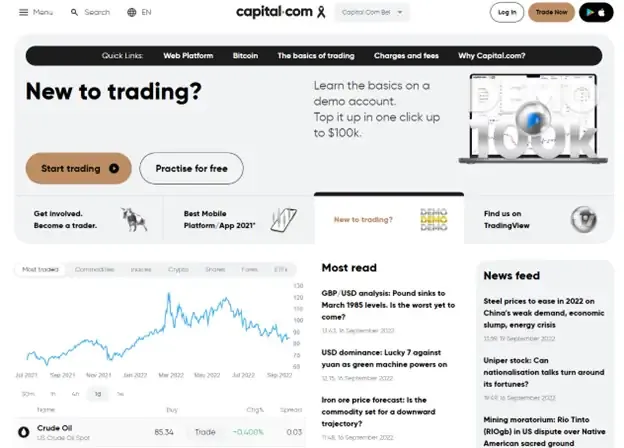
Capital.com offers forex exposure entirely through CFDs, contracts that track a currency pair's price without any actual currency changing hands. This means leverage plays a bigger role here than it does with spot trading.
Key Features:
- Investmate, a companion education app bundled with the trading platform.
- SmartFeed, an AI feature that detects trading biases and responds with targeted lessons.
- Stop-loss, take-profit and trailing stop tools built into order entry.
Forex Pairs & Instruments: More than 130 currency pairs trade on the platform, all structured as CFDs.
Trading Platforms: The native Capital.com app connects with MetaTrader 4 and TradingView for traders who want more charting depth.
Demo Account: The demo account carries virtual funds and no expiration date, so practice can continue indefinitely.
Fees / Spreads: There's no commission on trades, and EUR/USD spreads typically run 0.6 to 0.7 pips, with zero fees on deposits or withdrawals.
Beginner Usability: Risk warnings and margin details sit right in the order flow, which keeps a new trader from missing the fine print.
Pros:
This pricing model keeps costs low without sacrificing spread quality.
They bundle education directly into the trading experience through Investmate.
It actively flags risky trading patterns before they become expensive habits.
Cons:
This CFD-only structure means a trader never actually owns the underlying currency.
They vary deposit and withdrawal rules by region, which can confuse a first-time user.
Note: Because every position here is a leveraged CFD, a beginner should size trades conservatively, since losses grow just as fast as gains once leverage is applied.
5. AvaTrade – Best for In-App Risk Management
Risk control is AvaTrade's calling card. The broker operates under regulation in several regions and builds tools directly into the app that let traders manage losses proactively, not just reactively.
Key Features:
- The AvaTradeGO dashboard, tracking live trends and market sentiment.
- AvaProtect, which lets a trader buy protection against loss on a specific position for a defined period.
- AvaSocial, a community layer for sharing and following trading ideas.
Forex Pairs & Instruments: 55+ currency pairs are available, alongside CFDs spanning indices, commodities and equities.
Trading Platforms: The broker supports AvaTradeGO, AvaSocial, and MetaTrader4 and 5.
Demo Account: A 21-day trial account comes stocked with virtual funds, giving new traders a real window to test the waters.
Fees / Spreads: Spreads on the spread-only model average close to 0.93 pips on EUR/USD, deposits and withdrawals carry no fee, and the minimum deposit sits at $100.
Beginner Usability: The app keeps things approachable, with zoomable charts, in-app live chat and order screens that don't require guesswork.
Pros:
This AvaProtect feature is a genuine hedge, not just a marketing term.
They hold licenses across multiple top-tier regulators.
Cons:
This demo period, at 21 days, runs shorter than some rivals allow.
They start charging inactivity fees after only three months of silence.
6. Forex.com – Best for US Traders & Extensive Currency Selection
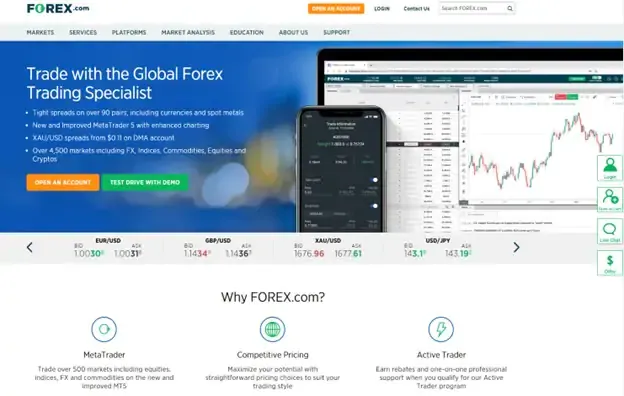
Few brokers on this list carry the regulatory weight Forex.com does, including oversight from US authorities, and the broker pairs that credibility with an unusually wide currency lineup.
Key Features:
- Full TradingView integration inside the mobile app.
- Trading Central's automated technical analysis and signals.
- Real-time economic calendars and currency heatmaps.
Forex Pairs & Instruments: More than 80 currency pairs are listed, spanning majors, minors and exotics.
Trading Platforms: The native Forex.com app works alongside MetaTrader 5 for traders who prefer it.
Demo Account: New users get 90 days of demo trading on Forex.com's own platform; those who opt for the MT4 version instead get 30 days.
Fees / Spreads: EUR/USD spreads on the standard, spread-only account average around 1.0 pip, while a raw pricing account trades near-zero spreads for a fixed commission. A $100 minimum deposit applies.
Beginner Usability: This leans toward a professional feel rather than a stripped-down beginner mode, though built-in tutorials help close that gap.
Pros:
They carry full CFTC and NFA authorization, which few competitors on this list can claim.
This pair selection is genuinely broad, majors through exotics.
Cons:
This charting setup can feel dense for someone's very first forex app.
They set the deposit minimum at $100, higher than several micro-focused rivals.
Note: The often-cited "30-day demo" refers specifically to Forex.com's MetaTrader 4 demo. Forex.com's own account FAQ states its native platform demo runs for 90 days after signup.
7. XM – Best for Educational Resources & Beginner Research
Education sits at the center of XM's pitch. The broker runs a steady stream of webinars and research aimed at traders who want to learn the market.
Key Features:
- Live daily webinars from market analysts, offered in several languages.
- Trading Central's technical summaries and daily commentary.
- Micro-account tiers built for smaller position sizes.
Forex Pairs & Instruments: The platform covers 55+ currency pairs.
Trading Platforms: XM's mobile app pairs with MetaTrader 4 and 5.
Demo Account: The demo account holds $100,000 in virtual funds and carries no expiration date.
Fees / Spreads: A $5 minimum deposit gets a trader started, zero-commission accounts are available, and Standard account spreads on EUR/USD average around 1.1 pips.
Beginner Usability: Registration takes just a few steps, guided the whole way by simple setup screens.
Pros:
They deliver more live educational content than most competitors bother offering.
This deposit minimum, just $5, makes starting almost frictionless.
It never forces a decision on the demo account, since there's no time limit.
Cons:
They price Standard accounts wider than raw-spread alternatives elsewhere.
This app leaves out some of the backtesting tools desktop traders rely on.
How We Chose the Best Forex Trading Apps?

Ranking top forex trading apps takes more than reading marketing pages. We built a testing framework around six practical measures, then put every app through the same real-world checks before any of them made this list.
Here's what we looked at:
1. Regulatory Verification: We confirmed active licensing with tier-1 regulators, including the FCA, ASIC, CySEC and CFTC, before considering any app further.
2. Cost Analysis: We compared full transaction costs, factoring in commissions, overnight swap rates and any non-trading fees.
3. Real-World Mobile Testing: We placed trades over both 5G and Wi-Fi during major economic releases, timing execution speed and watching for server lag or re-quotes.
4. Order Execution Quality: We tracked slippage and fill consistency across market, limit and stop orders.
5. Usability & Interface Stability: We tested how each app handled touch input, chart interaction and order panel clarity under pressure.
6. Client Support Responsiveness: We logged live chat response times across different time zones to see which teams actually showed up.
That hands-on testing, run under live market conditions (and not in a demo environment), is what separates a genuine best forex trading apps list from a rewritten features page.
Broker apps: eToro, FXTM, Capital.com, AvaTrade, Forex.com, XM
Trading platforms: cTrader, MT4, MT5, TradingView
What to Look for in a Forex Trading App?
Picking the best app for forex trading comes down to ten checkpoints, covering everything from licensing to how the charts feel under a thumb. Here's what actually separates a solid pick from the rest.
Regulation and Security
Regulation matters more than any single feature. Among best apps for forex trading, look for licensing from the FCA, ASIC, CySEC or CFTC, plus segregated client funds and two-factor login, since those basics protect capital before a single trade happens.
Forex Pairs and Market Access
A strong broker covers the majors like EUR/USD and GBP/USD without gaps, then extends into minors and select exotics, giving a trader room to follow whichever currency story is moving that week.
Trading Fees and Spreads
Fees decide long-term profitability more than any single trade does. Compare fixed spreads against variable ones, factor in overnight rollover rates, and check for withdrawal charges that quietly erode gains over time.
Trading Platforms
Some of the top forex trading apps run entirely on their own proprietary software, while others plug into MetaTrader 4 or 5. Neither approach is wrong, but one will fit a trader's habits better.
Charting and Analysis Tools
Good mobile charting means responsive zoom, multiple timeframes, a real set of drawing tools and technical indicators, plus live market news feeding straight into the app rather than a separate browser tab.
Demo Account
A demo account worth using never expires quietly on a countdown, and it loads with enough virtual capital to test real strategies. This single feature often decides which best forex trading app for beginners actually gets downloaded.
Risk Management Features
Stop-loss orders, take-profit levels and negative balance protection aren't optional extras. They're the difference between a manageable loss and a wiped-out account during a sudden market gap.
Deposits and Withdrawals
Funding should move fast and cost nothing extra. Cards, bank wires and local e-wallets should all work smoothly, and a withdrawal shouldn't take longer to process than the deposit did.
Customer Support
Live chat availability matters most in the moment something goes wrong. Support that responds fast across time zones, day or night, separates a broker that's ready for beginners from one that isn't.
Mobile Usability
An app that loads slowly or drains battery fast gets abandoned fast too. Look for smooth touchscreen controls, quick order panels and navigation that doesn't require a manual to figure out.
Best Forex Trading App for Beginners: What Matters Most?

Since starting forex trading can feel overwhelming, the first thing the best forex trading app for beginners is removing unnecessary friction. With that, things that matters the most are:
- A clean order entry panel matters most. Lot size, margin required, pip value and maximum risk should all sit in plain view before a trade goes live.
- Direct access to structured lessons, short video tutorials and a demo account that doesn't rush a new trader toward going live all build real competence before capital is on the line.
- Transparent spread displays matter just as much. A beginner needs to see the actual cost of a trade before confirming it, not discover it afterward in a statement.
- Plus, a low minimum deposit and micro-lot sizing, and the path from paper trading to live capital gets a lot less intimidating.
In the end, picking the best forex trading app for beginners comes down to one question: does the app protect a new trader from their own inexperience, or does it just assume they already know what they're doing?
Forex Trading Apps vs Trading Platforms
A phone and a desktop setup solve different problems, which is why the best apps for forex trading rarely try to replace a full trading suite outright.
Native mobile apps exist for speed and reach. Checking a position, firing off a quick trade, or catching a push alert the moment price moves, all from wherever a trader happens to be.
Deep analysis is a different story. For that, traders turn to desktop platforms like MetaTrader 4, MetaTrader 5 and TradingView, built for multi-monitor charting, thorough backtesting and automated strategies run through Expert Advisors.
Mobile handles the moment-to-moment monitoring, desktop handles the strategy building behind it. Most active traders end up using both, switching between them depending on whether they're reacting to the market or studying it. For traders comparing professional platform options, Audacity Capital's Trading Platforms gives more detail on its available MT5 and DXTrade solutions.

Trading Platforms
Choose Your Trading PlatformCan You Trade Forex From a Mobile App?
Yes, traders can execute and manage complete forex positions entirely through a mobile app. Modern mobile trading software has closed most of the gap with desktop platforms, giving a trader real market access from a single screen.
From a phone, a trader can:
- Watch live tick quotes, run technical analysis with interactive chart overlays, and open, close or adjust market and pending orders without needing a laptop nearby.
- Edit stop-loss and take-profit levels on an open position in seconds, account margin stays visible at all times, and price alerts land the moment a level gets hit.
- Plus, deposits and withdrawals work the same way, handled from wherever there's a signal.
The only real limitation left is screen size but the capability remains the same.
What Is the Best Forex Trading App?
Asking what is the best forex trading app is a bit like asking for the best pair of shoes, the honest answer depends entirely on what a person needs it to do.
A social trader wants copy trading tools but a high-frequency scalper wants raw spreads and MT5 integration. Neither one is wrong, they're just optimizing for different things.
Lining up top forex trading apps side by side makes those differences easier to see than reading seven separate reviews:
Trading App | Best Selected Use Case | Primary Regulatory Tier | Minimum Deposit | Key Differentiator |
eToro | Beginner Social & Copy Trading | FCA, CySEC, ASIC | Varies by region | Automated CopyTrader |
FXTM | Micro-Lot & MT5 Trading | FCA, FSC | $10 (Micro) | Ultra-low deposit barrier |
cTrader | Advanced Charting & Execution | N/A (Platform) | Depends on broker | Level II Market Depth & Algorithmic Trading |
Capital.com | Commission-Free CFD Trading | FCA, CySEC, ASIC | $20 | In-app trading education |
AvaTrade | Mobile Risk Mitigation | Central Bank of Ireland, ASIC | $100 | AvaProtect risk tool |
Forex.com | US Traders & Pair Selection | CFTC, NFA, FCA, ASIC | $100 | 80+ currency pairs |
XM | Beginner Webinars & Research | CySEC, ASIC, FSC | $5 | Free educational resources |
Can Beginners Practice Forex Trading on a Demo Account?
A forex demo account is a paper trading environment funded with simulated money but priced off real, live market feeds, giving a beginner a genuine feel for the market without any of the financial risk.
That risk-free setting is exactly where the real learning happens: getting comfortable with order types, learning how the app itself works under pressure, and building the kind of confidence that only comes from actually placing trades rather than reading about them. What a demo can't replicate is the psychological weight of real money on the line, along with the small execution slippage that shows up once actual capital, not simulated capital, is moving through the market.
Once the mechanics feel automatic, traders ready to test that discipline under real structure can head to Audacity Capital's Free Trial or Challenge and put those skills to work with defined risk parameters.
FAQs
There’s no single best app to be honest. However, the one that pair a demo account, a low minimum deposit and solid regulation, like eToro and Capital.com, consistently rank well with new traders.
Look for tight spreads, fast order execution, tier-one licensing from the FCA or ASIC, and charting that actually works well on a small screen. That combination defines the strongest overall experience.
eToro and AvaTradeGO are the easiest. Both keep order placement simple and visual, a real contrast to technical platforms like MT5, which ask more of a first-time user.
Yes, you can. Modern apps handle market analysis, live pricing, order execution and account management entirely from an iOS or Android device.
Yes, forex trading apps that holds a license from a regulator like the FCA, ASIC, CySEC or CFTC are safe. These oversight requires segregated client funds and real security standards.
Yes, most reputable ones do. Loading a free account with virtual funds so beginners can test strategies before any real capital enters the picture.
A broker is the regulated firm providing market access. Whereas, the app is simply the interface a trader uses to reach that broker and place trades.
Yes. Both MetaTrader 4 and MetaTrader 5 offer native mobile apps that connect directly to a trader's account at any participating broker.
Overall, forex trading apps put the global forex market in every pocket, but access alone doesn't guarantee success. That still comes down to a properly regulated broker and real risk discipline. Start on a free demo, test execution speed, and move to live trading only with capital you can afford to lose.
When ready, Audacity Capital offers a path to trade with funded capital instead of personal savings.
Guides About Forex For Beginners

¿Listo para aplicar un riesgo disciplinado a las criptomonedas? Explore los nuevos instrumentos de cripto de Audacity Capital y traiga su estrategia de trading.
Aprender másBoletín
Únase a nuestro boletín para mantenerse al día.
Únete a Nuestra Comunidad Social

Comienza Tu Viaje Hoy Con Nuestra Prueba Gratuita
Muestra con orgullo tus habilidades y logros a través de certificados y obtén reconocimiento por tu arduo trabajo y dedicación de posibles inversores y compañeros.
Prueba GratuitaArtículos Relacionados
__webp__orig.webp)
From Demo To Live: When Are You Ready To Go Live?


Swing Trading vs Day Trading: Which Is Right for You?
One style costs you your afternoons. The other costs you your sleep. Here is how swing trading vs day trading really compare, and how to pick.

10 Best Futures Prop Firms for Swing Trading In 2026
Compare the best futures prop firms for swing trading in 2026 with overnight holding, flexible rules, fast payouts, and funded accounts.
Trading Psychology for Funded Traders: Pressure, Fear and Revenge Trading
Struggling with pressure and tilt? Master trading psychology for funded traders with concrete systems to avoid revenge trading and stay disciplined.