


Top 10 Forex Trading Apps For Beginners in 2027


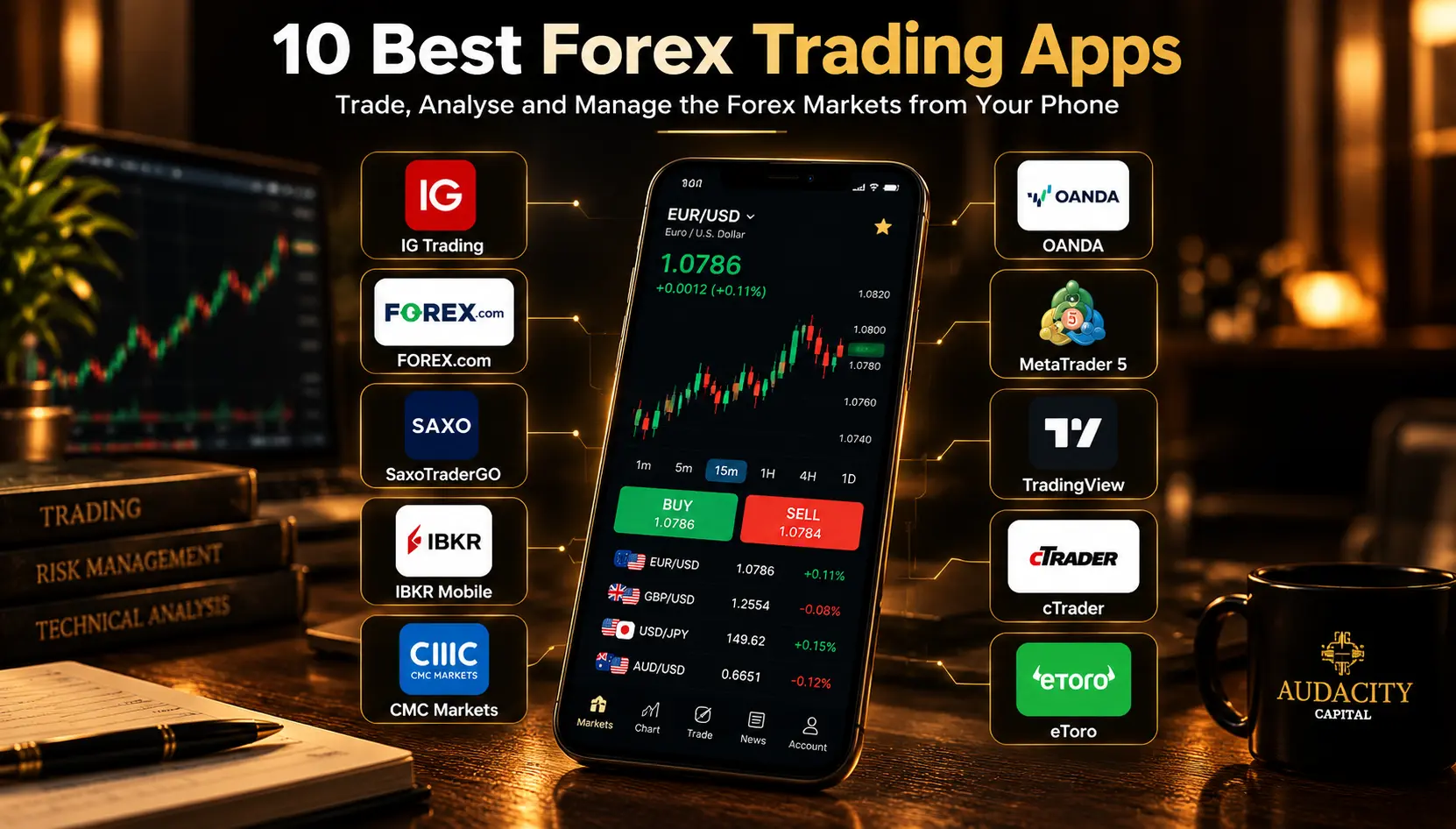
Mobile apps have made forex trading easy. You can study markets, price movements, execute trades, and manage risk from almost anywhere. However, these apps come with different features, tools, market access and geographical restrictions, resulting in varied user experience.
The choice of best forex trading apps goes beyond reviews, ratings or popularity. They must offer advanced charting features, a wide range of technical indicators, simplified order management, low trading costs, among other things.
In this guide, we compare top 10 forex trading apps based on factors like mobile compatibility, charting & research tools, order management, costs, and suitability for different types of traders.
How We Have Evaluated These Apps
Our top 10 forex trading apps were handpicked after the evaluation of certain factors such as:
Mobile usability:
For mobile usability, we assessed apps based on their layout, intuitive navigation, the ease of searching currency pairs, monitoring prices, placing and managing open positions, quick menus, easy controls, in-depth chart analysis, and overall user experience.
Charting and analysis:
In terms of charting, we reviewed types of charts, technical indicators, the range and ease of using drawing tools, timeframes, etc. Besides, alerts, customised watchlists, market research and news were compared to evaluate the analysis metric.
Trading and order management:
From placing different order types (market, limit, stop-loss) to editing active trades; we compared how different apps ranked based on trading & order management.
Trading costs:
Some platforms may charge higher spreads or commission while others charge heavy account maintenance fees. We analysed the pricing of different platforms, including spreads, commissions, overnight costs and maintenance charges.
App availability and regulation:
We checked the geographic regulations and certifications. This included metrics such as what market it serves, what products are offered in which markets, the broker is governed by which jurisdiction, and so on. For instance, FCA in the UK, ASIC in Australia, and CFTC in the US respectively frame the regulations for such apps.
Device support:
Besides evaluating the compatibility across Android, iOS, tablet, and browser, we also considered cross-device synchronisation for trading to proceed smoothly across several devices.
Demo and learning tools:
We reviewed demo accounts, tutorials, market news, and other learning resources that help new traders to understand the basic mechanism of trading, test their skills in live markets, and understand costs and the risks involved.
10 Best Forex Trading Apps for 2027
Before we dive into the each of the top 10 forex trading app in detail, lets compare them at glance:
Comparison Table
App | Best For | Android / iOS | Demo | Strength | Limitation |
IG Trading | Overall mobile experience | Both | Yes | Mobile charting and research | Availability varies |
FOREX.com | Active forex traders | Both | Yes | Forex-focused tools | Features vary by region |
SaxoTraderGO | Research and premium experience | Both | Yes | Research and cross-device tools | May feel complex for casual traders |
IBKR Mobile | Multi-asset traders | Both | Yes | Broad market access | Steeper learning curve |
CMC Markets | Mobile charting | Both | Yes | Charting and analysis | Regional product differences |
OANDA | Forex-focused trading | Both | Yes | Order management and currency tools | Product availability varies |
MetaTrader 5 | Broker flexibility | Both | Yes | Technical analysis and broker support | Mobile has fewer advanced capabilities than desktop |
TradingView | Charting and alerts | Both | Paper Trading | Charts and technical analysis | Trading depends on broker integration |
cTrader | Order management | Both | Broker-dependent | Trading interface and order controls | Broker availability varies |
eToro | Social trading | Both | Yes in supported regions | Social and copy features | Forex availability varies significantly by country |
1. IG Trading: Best Overall Forex Trading App
About:
The IG Trading app allows you to trade more than 90 forex pairs including popular options such as EUR/USD, GBP/USD, USD/JPY and AUD/USD. It offers integrations to ProRealTime ( a separate charting platform for in-depth analysis), and 28 technical indicators.
You receive real-time alerts, access to economic calendars, IG client sentiment data. With IG trading, you can open, edit, close positions directly from the phone, set basic or trailing stop orders and track history, account information, and more.
The app is live across both Android and iOS versions.
The app strong points are:
- Access to global and wide range of markets (forex, indices, shares, commodities, crypto CFDs and ETFs).
- Advanced tools & integrations (Desktop & mobile versions, MT4, L2, TradingView, ProRealTime, etc.)
- Educational Resources & Demo Account support
- Reputed platform (FTSE 250 listed company, Best Platform for the Active Trader 2026 & Best Multi Platform Provider 2026- ADVFN International Financial Awards).
The app’s limitations are:
- High Retail Losses due to CFDs.
- Vague and opaque cost structure
- Geographic product restrictions
- Unsuited to conventional long-term investors (CFDs don’t let you own assets).
Highlight:
It is one of the best apps for beginners, alongside suited to active traders and experienced traders who seek to perform analysis with technical indicators and advanced forex trading tools.
2. FOREX.com: Best for Active Forex Traders
About:
Forex.com’s intuitive mobile application provides you with raw FX pricing, 24/7 crypto, spot gold & silver, 0 Commission shares, indices, and commodities.
The app allows you to access TradingView-powered charting, trading performance analytics and 80 technical indicators. The app delivers a comprehensive experience with instant price alerts, customised watchlists, different order types (market, limit, stop-loss, take-level profits), economic calendars, Reuters news, and insights from market experts.
As for availability, the app is live on both Android and iOS.
The app’s strong points are:
- Flexible pricing model with different account types with EUR/ USD as low as 0.0- 1.0 variable spreads and low commissions.
- In-built performance analytics tools.
- Trade directly from the charts.
- Specialised programs such as Forex.com VIP
The app’s limitations are:
- Geographic and Product Restrictions.
- High risk due to CFDs and leverage.
- Lacks history of triggered alers, stop or limit orders to the combined position in a market rather than each individual trade.
- Finger-fumbles due to the complex interface.
Highlight:
The app is best for active forex traders who want to benefit from chart-based order management, flexible pricing models, and conduct advanced analysis from their phones.
It also suits beginners who seek to practice with a demo account.
3. SaxoTraderGO: Best for Research and Market Analysis
About:
SaxoTrader offered by SAXO is for users who seek access to multiple financial markets (forex, stocks, ETFs, bonds, options, CFDs, futures, commodities and mutual funds) alongside.
They offer a quick comprehensive trading experience with 85+ technical indicators, drawing tools, advanced screeners and watchlists, different order types (market, limit, stop, and algo orders) and smart order routing.
Among alerts, the app can alert you for margin levels and price movements. The app offers insights and daily commentary from its SaxoStrats team, alongside in-depth analysis across global markets.
A paid demo account, platform walkthrough, video guide and help documentation helps you to get familiar with its platform. Applicable costs can include spreads, commissions ($0.5% to $1), currency conversion fees 0.25%, financing charges and other fees.
The app’s strong points are:
- Multi-device synchronization
- Advanced tools such as (time & sales logs, Depth Trader, Option Risk Ladder)
- Portfolio Performance Reports
- Flexible risk management
The app’s limitations are:
- Some features are desktop-only
- Availability is restricted by regions
- Steep learning curve due to complex tools
Highlight
The app appeals to experienced multi-asset traders who want to manage different asset classes, use detailed portfolios, risk management and advanced analytical setups.
4. IBKR Mobile: Best for Multi-Asset Traders
About:
The IBKR Mobile offers 175+ market access including global spot currencies (forex), international stocks, options, futures, bonds, mutual funds, and ETFs from a single integrated account.
With tight spreads as narrow as 1/10 PIP, deep liquidity and real time quotes from 17 of the world's largest FX deals, 100+ currency pairs available, and low commissions, IBKR appeals to forex traders.
The app also lets you place trades with the same professional features available on desktop, including advanced order types, algorithmic trading, and flexible routing options.
You can stream live quotes, news, and analysis to spot real-time opportunities. IBKR also provides the capability to set customizable market scanners and watchlists that sync seamlessly across devices.
The app is available on Mobile, Web, and Desktop.
Strong points of the app:
- Offers complex algorithmic order routing.
- Real-time portfolio & margin monitoring.
- Native multi-currency account management.
The app’s limitations are:
- High and technical leaning curve
- Device and system requirements are needed in some cases.
- Separate charges for live market data
Highlight:
The app’s advanced tools make it complex for beginners. While experienced and active traders who prioritize active trade control & management are more suited to IBKR mobile.
5. CMC Markets: Best for Mobile Charting
About:
CMC markets allow you to trade with leverage on forex, indices, commodities, cryptos, shares and more on MetaTrader 4 (MT4) or MT5 platforms. You can also choose from over 21,000 instruments from their web or mobile version, or integrate TradingView.
From a full set of technical indicators and drawing tools, the core strength of CMC markets lies in charting directly from its mobile app. The app also supports complex order execution such as one-click trading, limit orders, stop-loss orders, and custom order parameters.
With real-time price updates, client sentiment data, instant execution across global asset classes, the app also lets you create personalized watchlists. You can also look out for Reuters news feeds, Morningstar equity research, TipRanks analysis, and automated pattern recognition scanners with CMC markets.
The app’s strong points are:
- Extensive price history up to 20 years.
- Flexible trading experience between proprietary platforms and third-party platforms.
- Multi-instrument chart comparison tools.
- Real-time client sentiment data.
The app’s limitations are:
- iOS version has strict geographic regulations.
- Different platforms (proprietary, MT4, MT5) have different features.
- Significant risk owing to leverages.
Highlight
The app is an ideal platform for active CFD, forex, and multi-asset traders who seek access to high-grade technical charts with mobile compatibility, and other advanced tools. It is unsuited to long-term buy & hold investors due to CFDs.
6. OANDA: Best for Forex-Focused Trading
About:
Oanda app provides global CFDs, including FX, indices, commodities, crypto and shares. Alongside advanced charting, technical indicators, the platform offers a built-in TradingView chart and MT5 integration.
You can place different order types, set risk & profit parameters and manage trades without constantly switching between separate charting and trading applications.
It also supports push notifications for market events, price alerts, economic-calendar events, and market news and 12 alert conditions involving prices, indicators and strategies.
It offers specialised perks for forex traders such as ultra competitive spreads on major instruments such as the UK100, DE40, EUR/USD and GBP/USD. These perks make it stand out as one of the best currency trading apps.
The app supports both iOS and Android versions.
Strong points of the app:
- Forex-first and focused experience
- Access to OANDA’s proprietary Order Book and Position Ratio overlay
- Integrated Autochartist pattern recognition tool.
- Demo practice account provided
The app’s limitations are:
- Charges a monthly account inactivity fee.
- Lacks in-built news feed service but relies on TradingView feed for market updates.
Highlight
The app appeals to forex specialists, scalpers or short-term forex traders. It however may be unsuitable for inactive or demo users.
7. MetaTrader 5: Best for Broker Flexibility
About:
MetaTrader 5 (MT5) is a versatile trading platform for forex and other financial markets. You can connect to supported brokers' servers and access real or demo trading accounts. However, available financial instruments, spreads, execution conditions, and trading features depend on the selected broker.
You can make use of interactive charts, multiple timeframes, and different chart types (candlestick, bar, line charts) and technical indicators (Moving Averages, Relative Strength Index, MACD, and Bollinger Bands).
MT5 supports market orders, pending orders, and risk-management options such as Stop Loss and Take Profit, and netting and hedging position-accounting systems.
Market Depth allows you to view market liquidity and price levels before executing trades. You can also receive real-time quotes, alerts, and push notifications with this app.
Android and iOS versions, both are compatible with MT5.
However, the desktop and mobile experience of the app varies. The mobile applications focus on convenient trading and account management with streamlined navigation to view prices, analyse charts, and execute trades.
The desktop version is for more advanced analyses that includes up to 100 simultaneously open charts, 21 timeframes, advanced chart customisation, custom indicators to devise better strategies.
Strong points of this app:
- Broker flexibility
- Direct on-chart order drag-and-drop mechanics
- Access to bulk order management
- Supports strategy formation & management
The app’s limitations are:
- Heavily reliant on brokers.
- Limited mobile automation features.
- Outdated user interface as compared to modern third-party tools.
Highlight
MetaTrader5 is an ideal option for technical retail traders, algorithmic strategy managers, and multi-broker users.
8. TradingView: Best for Mobile Charting and Alerts
About:
TradingView is a financial market charting and analysis platform to assess prices, study market trends, identify opportunities, and monitor instruments across multiple markets.
The platform supports quick, flexible analysis, with up to 16 charts per screen, synchronize symbols, timeframes, 110 drawing tools, custom intervals (seconds and range bars), different chart styles (candles, bars, Heikin Ashi, Renko, line break, point & figure, Kagi, area, baseline, and volume candles), 400 built-in indicators and strategies, plus access to over 100,000 public indicators created by its community.
The alerts use 13 built-in price conditions, chart drawings, indicator values, or custom conditions. The app also supports creating personalized multiple watchlists.
The platform enables trading directly from charts via globally reputed and verified 100+ brokers listed on its platform. You can execute orders, manage brackets, preview future orders or modify orders by dragging them on a chart with Supercharts.
The app is compatible with website, desktop, and mobile interface.
The app’s strong points are:
- Analysis to execution workflow
- Strong community ecosystem
- Cross-synchronisation available
- Custom indicators and alerts using PineScript.
Limitations of the app are:
- Broker-dependent.
- Expensive subscriptions for advanced tools.
- Mobile and web plans disparity.
Highlight
Most useful for chart-focused traders who rely on technical analysis, community sentiment, and custom forex trading strategies.
9. cTrader: Best for Trade and Order Management
About:
cTrader is a multi-asset trading platform including forex, contract-for-difference (CFD) trading, and others. cTrader Mobile is a practical, touch-first trading app for you to open trades from a watchlist, symbol overview, or chart, while positions and orders remain visible.
The mobile charts display price action along with a trader’s positions, pending orders, protections, price alerts, and chart objects. The platform supports market, limit, stop, and stop-limit orders, with entry available from a watchlist, symbol overview, or chart.
You can also manage positions directly from the chart such as modify orders, act on alerts, and adjust positions.
Strong points:
- Quick trade execution with single tap.
- Flexible account access.
- Practical risk management
- Control over open positions
Limitations:
- Broker-dependent
- Accidental trade risks.
- Mobile and Desktop features can vary.
Highlight:
For active Forex and CFD traders, intraday, scalpers or swing traders this app is most suitable.
10. eToro: Best for Social Trading Features
About:
etoro operates as a social investing and trading platform that combines market access with a community feed, investor profiles, real-time sentiment, and CopyTrader functionality.
You can browse markets, follow investors, view charts and watchlists, place trades, and manage a portfolio from one app. Social trading is one of the core defining features of this app.
You can explore other investors' profiles, review their strategies and portfolios, follow market discussions, and examine their historical performance.
The app’s CopyTrader helps you to copy an investor’s activity with a few clicks. You can access real-time sentiment data from the community on market updates, create watchlists, set alerts and track community sentiment.
The app’s strengths are:
- ProCharts and CopyTrade features
- Virtual Practice portfolio
- Educational guides and content
The limitations are:
- Major geographic restrictions with features like CopyTrading not universally available. Forex, leverage, CFDs subjected to local states and governing bodies.
- Encourages herd mentality due to copy behavior
- Non-USD deposit and withdrawal conversion fees for international users.
Highlight
The platform is ideally suited for beginners and intermediate investors who seek to follow investor sentiment, test ideas in a virtual portfolio, and explore copy trading
What Is a Forex Trading App?
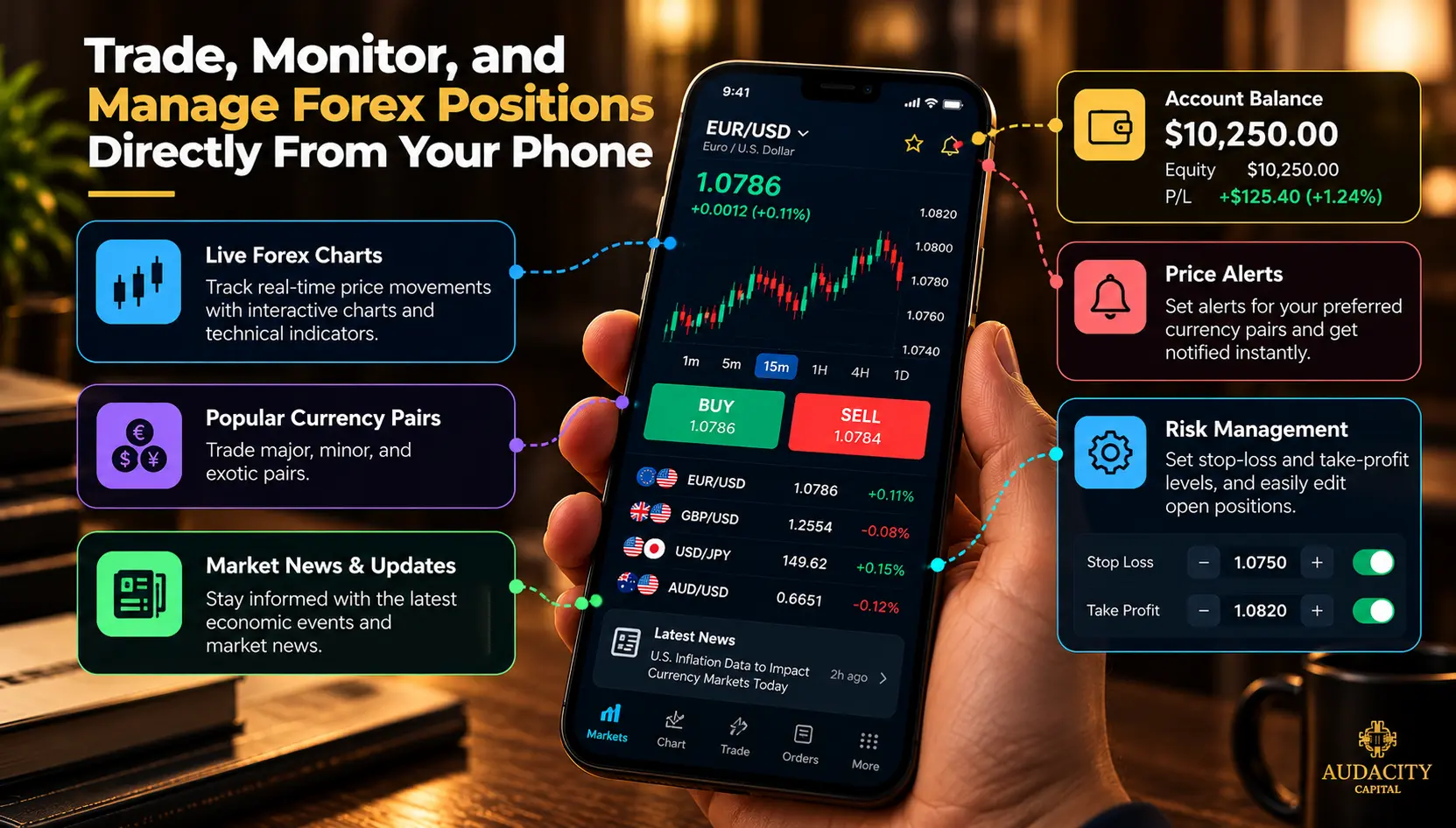
A forex trading app is mobile software that connects your smartphone or tablet to global currency markets.
It helps you manage an active forex trading account, track currency prices and global economic updates with charts, technical indicators and market news, set pending orders, edit trades with stop-loss, take-profit levels, analyse market movements, and manage trades without needing an elaborate desktop setup.
Forex trading apps generally fall into two categories.
Broker-owned apps which connect users directly to your brokerage accounts, handling everything from price feeds and custom order tickets to account funding natively. Examples include IG Trading, FOREX.com, OANDA, and SaxoTraderGO.
The second category is Third-party trading apps, such as MetaTrader 5, TradingView, and cTrader. These apps provide trading or charting tools that can work with multiple supported brokers, depending on the platform and its integrations.
For instance, a trader may use TradingView to analyse currency charts and connect to a supported broker to place trades. However, the app's features do not guarantee access to every currency pair, trading account, or order type. Availability and execution options depend on the specific broker and account.
Benefits of a Forex Trading App
Forex trading apps offers users several benefits such as:
Monitor the Forex Market Away From Your Desk
Forex trading runs across global market sessions, twenty-four hours a day, and five days a week. These apps let you track exchange rates, open or close trades, adjust stop-loss levels, change profit levels, check available margin or account activity with a few buttons on your phone.
It removes the friction of finding a desktop device especially when you’re working, travelling or commuting.
Receive Price Alerts and Market Updates
With forex apps, you need not monitor the charts continuously or track markets 24/7. Instead you can rely on price alerts, economic news and market-related updates and notifications to help you stay informed. However, it is worth noting that frequent alerts can deviate you from your trading plan.
Access Charts and Analysis Tools on Mobile
With advanced integrations, forex apps let you access fast-loading and responsive charts on your mobile screen.
These integrations also include technical indicators, multiple timeframes, drawing tools, watchlists, economic calendars, and market news that helps you to make trading decisions. However, a web or desktop experience can certainly differ from mobile features.
Keep Trading Information Synced Across Devices
One important benefit of these apps is that when supported, forex apps can sync your watchlist, save chart layouts, alerts, and account information on different devices. You don’t need to recreate settings every time you’re switching devices.
Also, cross-synchronisation varies by platform as some chart drawings, indicators, or layouts may not transfer automatically, so traders should check what their chosen app actually saves across devices.
Challenges People Face When Using Forex Trading Apps
Forex Trading via mobile apps come with several benefits, however, it is not without challenges. Here are some of the common challenges users face while using a forex trading app:
Smaller Screens Can Make Detailed Analysis Harder to Read
Mobile screens make it harder to access comprehensive data and hinders the analysis. You need to zoom in and out across several points, switch timeframes and charts to compare different trading opportunities.
Opening several tabs, applying various indicators at once can make the screen cluttered and confusing. A tablet or a desktop screen, on the other hand, is more suited for detailed analysis.
Mobile Apps May Have Fewer Features Than Desktop Platforms
An app’s desktop and mobile versions are not the same. The former, more often than not, offers more features. The mobile version, on the other hand, is designed for quick and easy trading.
For instance, MetaTrader offers built-in technical indicators, charting tools, and trade execution on mobile. However, the desktop version comes with full algorithmic trading (automated trading robots), custom indicator creation, and deeper backtesting tools.
This affects your trading when your analysis depends on certain indicators, order setting, or analysis tools. When such features are unavailable on mobile, you may need to switch devices or change their approach
Internet Connection and System Availability Can Affect Execution
Weak mobile signals, slow or outdated devices, server problems, or app outages can affect your trades adversely. A delay of one moment can cause you to be unable to open, edit, or close a trade, especially in volatile markets.
It is important to avoid unstable public Wi-Fi or poor mobile connectivity when trading.
The Price You See May Not Always Be the Price You Get
The price displayed in the app while placing the order vs the price at which the order is executed can be completely different. This phenomenon is called slippage, often observed during upcoming economic or corporate news announcements, sudden price movements, or periods when fewer buyers and sellers are available.
As brokers like OANDA and FOREX.com point out, this gap causes your order to fill at a slightly higher or lower price than expected. While slippage affects both mobile and desktop versions, short-term day traders and scalpers are significantly affected by this risk.
Features and Accounts Can Differ by Broker or Country
An app's available features depend on your choice of broker, account type, and country. These differences can include certain currency pairs, leverage levels, or CFDs, deposit methods, trading costs, and supported account types.
Therefore, it is important to check features prior to registration.
Notifications Can Encourage Unnecessary Trading
Frequent notifications, flashing prices and leaderboard lists can create a false sense of urgency, leading to impulse or emotional trading.
FCA research across 9,000 consumers found that some digital engagement features (push notifications and others) increased trading frequency and risk-taking in its experiment.
It is advised to set price alerts as per your trading plan rather than responding to notifications.
Which Forex Trading Apps Are Best for Beginners?
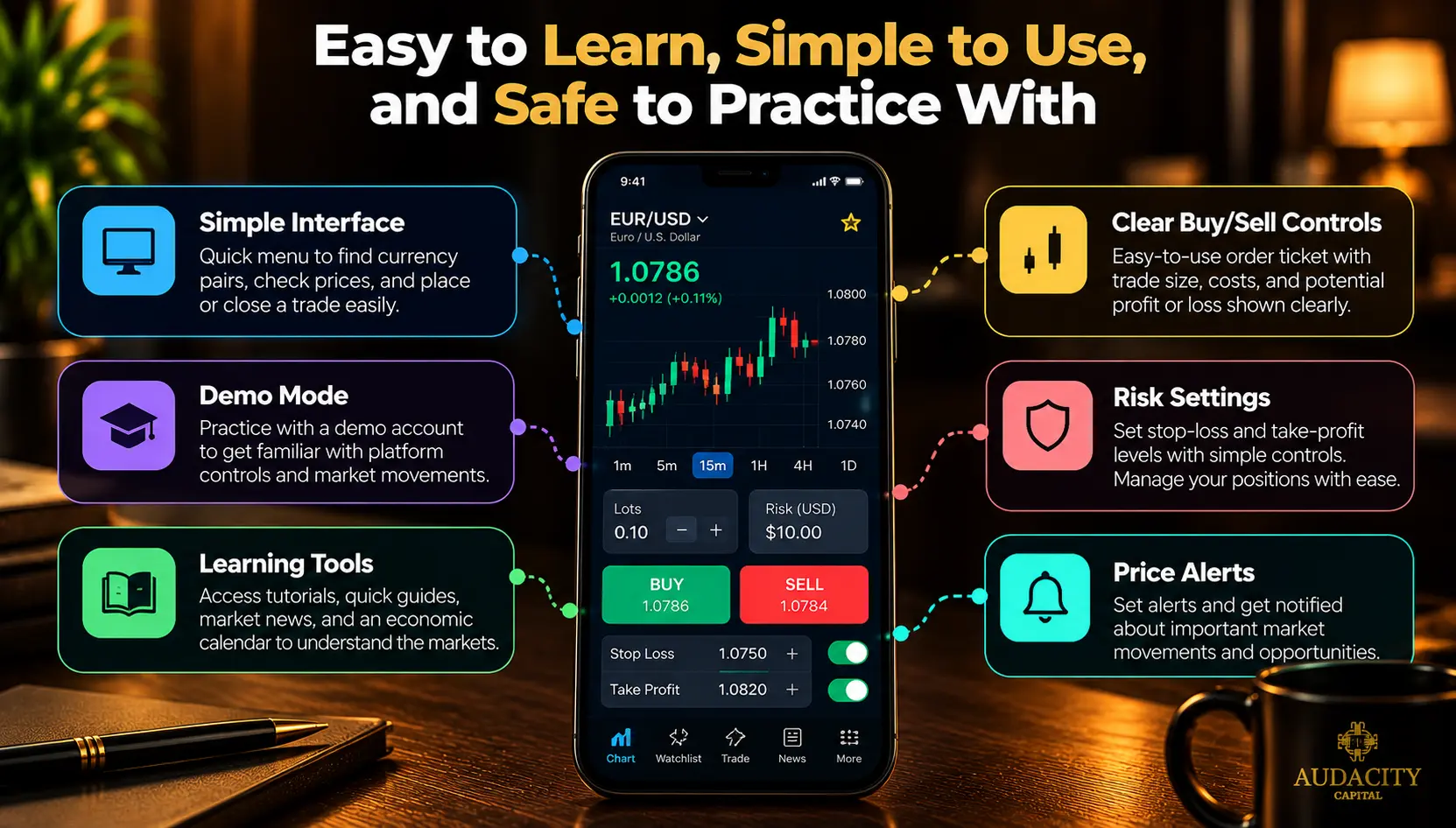
The best forex trading apps for beginners do not come with one definite answer. Instead, beginners can explore options such as IG Trading, FOREX.com, OANDA, and TradingView to learn and trade in live markets.
Before diving into real markets, it is important for beginners of forex trading to select apps based on:
Learning the interface:
A beginner-friendly app offers a quick menu to find currency pairs, check prices, and understand where to place or close a trade. It should also provide information like trade size, order type, and costs.
For instance, FOREX.com provides an intuitive mobile layout with a simplified order ticket which displays trade size, margin requirement, and potential profit or loss in real monetary value before you hit submit.
Practising First:
Choose an app that offers a demo account as it helps you get familiar with platform controls, order types, and market movements.
TradingView offers paper trading through its charts, while OANDA, FOREX.com, and IG provide demo options.
Understanding Markets:
The apps must provide learning resources, economic calendar, and markets, such as quick guides, tutorial videos, market news that not explain market-related events and their effect on markets but also strategies and risk across these events.
Managing Risk:
This perhaps is one of the most important aspects of a forex trading app for beginners. Look for apps that make it easy to set stop-loss, take-profit levels, and let you edit and manage positions.
OANDA's TradingView integration, for example, supports visual adjustment of stop-loss and take-profit levels on charts.
Learning Charts:
A good app should come with a wide range of chart types. Look out for fast loading charts, zoom controls, easy-to-change timeframes, easy-to-add technical indicators, and drawing tools alongside the ability to create watchlists and set alerts.
How to Choose the Best Forex Trading App
You can evaluate the best forex app based on the factors below:
Check Regulation and Account Availability
You must assess if the app is legal, safe and available in your region. First and foremost, verify the broker’s license and the financial entity of the broker from the concerned authority.
Next, look out for what markets, products, instruments they offer as financial laws differ from country to country.
Compare Spreads, Commissions and Other Trading Costs
It is important to look beyond the low advertised numbers and check the overall cost. The cost depends on the account type, type of trading, holding period and broker.
Compare spreads (difference between buy price and sell price of currency pair), commissions (broker fees for opening & closing trades), overnight financing (opening a position past the daily market hours), currency conversion cost, deposit or withdrawal charges, or account maintenance charges.
Check Mobile Charting and Analysis Features
The best app for forex trading Android provides a smooth user experience. It provides you access to a wide range of indicators, drawing tools, timeframes, responsive charts, watchlists, alerts, news and economic events.
These apps don’t make you rely on a desktop for analysis or managing trades.
Look at Order Types and Trade Management
An app should support various order types to accommodate trading style of various traders. For instance, you must be able to place market, limit, stop-orders, stop-loss or take-profit levels.
Moreover, the best apps also lets you edit existing positions or pending orders and in some cases, allows you to trade directly from the charts.
Check Android and iOS Compatibility
Be it for Android or for iOs, these apps should meet the minimum OS version required, support interface for tablets, have universal features across both the Android and iOS versions and offer cross-synchronisation for watchlist, alerts and orders.
Test the App With a Demo Account
While a demo account may not replicate the real market conditions exactly, it still helps to assess the navigation, chart accessibility and usability, placing orders, managing positions, creating watchlists, and receiving alerts.

Trading Platforms
Choose Your Trading PlatformConclusion
Your trading style and trade experience shall dictate the choice of forex app. The best forex trading apps combine a simple yet comprehensive mobile experience, advanced charting tools, low costs, flexible order management, wide broker coverage, and different device compatibility into one platform.
It is recommended to test a demo app, compare features and cost before registering an account.
Guides About Forex For Beginners
- Forex Trading for Beginners
- The Best Forex Brokers with Lowest Spreads
- Best Forex Brokers For Beginners
Frequently Asked Questions
There’s no single best forex trading app in 2027. Different apps suit different traders, their trading style and experience. It all comes down to mobile features, available products, low cost and location restrictions.
The beginners must look out for apps that offer a simple, intuitive experience with learning resources, demo account, educational content, and the ease of risk and order management.
While you can download these apps for free, forex trading involves several charges such as opening an account with a broker, transaction costs such as spreads, commissions, financing charges, broker fee, currency conversion costs and more.
IG Trading, etoro, CMC markets are some of the best forex trading apps for Android.
Forex.com, SaxoTrader, cTrader, TradingView, are some of the best forex trading apps for iPhones.
Yes, some apps allow for demo and paper-trading accounts where you can practice without real money. While it may simulate live market conditions, it does not reflect the reality as spreads, slippage, economic events, and more affect real markets.
Forex trading apps will always pose financial risk. However, the right app will come with safe and secure features, strict and clear broker regulations and certain trading risks.

Ready to apply disciplined risk to crypto? Explore Audacity Capital's new crypto instruments and bring your trading strategy.
Learn MoreNewsletter
Join our newsletter to stay up to date on features and releases.
Join Our Social & Community

Start Your Journey Today With Our Free Trial
Proudly showcase your skills and accomplishments through certificates and get recognition for your hard work and dedication from potential investors and peers.
Free TrialRelated Articles

Introducing Ability One: One Step To Funding With Static Drawdown


How To Choose The Right Prop Firm – A Complete Checklist
Learn how to choose the right prop trading company with our expert guide. Compare fees, rules, profit splits, and platforms to trade confidently.

The First 30 Days: What New Traders Should Focus On (And Ignore)

From Demo To Live: When Are You Ready To Go Live?