


9 Best Trading Journal Apps in 2026: Pick the One Fits You.


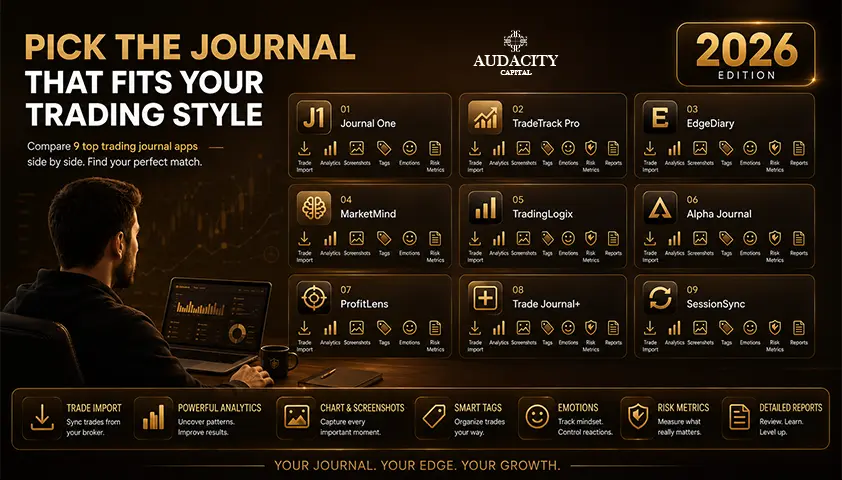
The best trading journal apps turn a scattered pile of trade history into a clear, reviewable picture of what is actually working, and what quietly is not.
If you have already tried the classic route of a spreadsheet that lasted two weeks before you stopped updating it, you are not the exception. That is the default outcome, and it is exactly why this category exists.
This guide is a comparison, not a definition. Below, you will find
- what to look for in a journaling tool,
- honest profiles of the leading apps (including where each one falls short),
- a dedicated section for prop firm traders who need more than raw P&L tracking,
- a free vs. paid decision framework,
- and the section most competitor roundups skip entirely: how to actually use a journal so it improves your trading rather than becoming another abandoned tab.
What a Trading Journal Is and Why Does It Matter?
A trading journal is a structured log of every trade you place: entry, exit, size, setup, and ideally the reasoning and emotional state behind the decision.
It is not the same as your broker's account statement, which only tells you what happened. It is not the same as your memory of the trade, which is unreliable within days.
A journal captures the why alongside the what, and that is where the review value lives.
A well-kept trading journal app delivers three things a statement cannot.
1. Pattern recognition.
Most traders assume they perform consistently across setups and market conditions. Almost no one actually does.
Real trade analytics surface which setups earn their keep and which ones only feel good at the moment. Win rate and expectancy across a real sample of trades will often contradict what you remember.
2. Emotional awareness.
Reviewing tagged notes after the fact reveals the fear-based exits and greed-driven entries you would never admit to in the heat of a session. Seeing the same tag repeat across losers is more persuasive than any lecture on trading psychology.
3. Risk-management review.
Win rate, average R-multiple, expectancy, and drawdown behavior all sit in one place, ready to be examined against your rules rather than your instincts.
A spreadsheet can technically do this. In practice, manual entry across dozens of fields kills the habit within weeks.
That is the single most common reason journaling attempts fail, and it is the biggest argument for using a dedicated tool over Excel.
What to Look For in the Best Trading Journal Software?
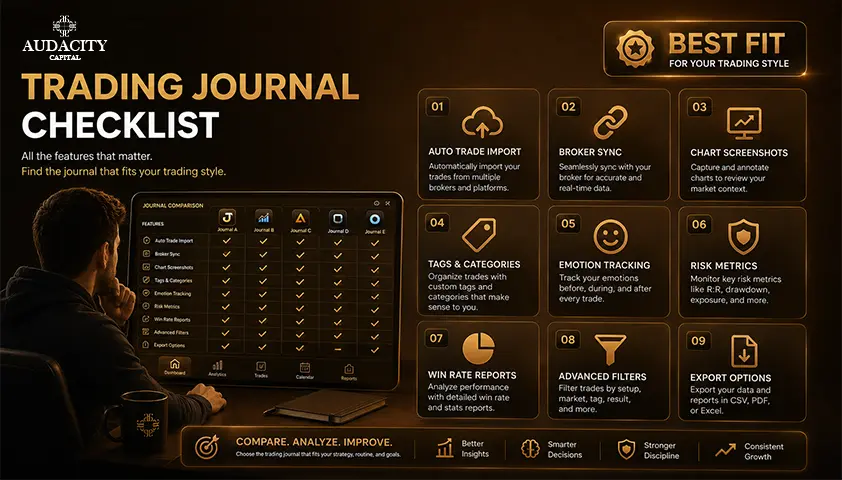
Before comparing named tools, know your criteria.
The best trading journal software for you depends on how you trade, how often, and on what platform.
6 things matter more than the rest.
- Fast trade entry: If logging a single trade takes more than two minutes, the habit will not survive a busy session. Speed of entry is the single most important feature no one mentions in marketing copy.
- Broker auto-sync or CSV import: Fully manual entry is the second biggest reason traders quit journaling. Broker auto-sync is ideal; a clean CSV import is the acceptable fallback.
- Analytics beyond raw P&L: You want win rate by setup, performance by time of day, expectancy, equity curve, and R-multiple distribution. If the tool only tells you your net profit, you already have that from your broker.
- Multi-market support: If you trade forex, indices, and futures across the same week, a tool that only handles equities will get in your way.
- Usable mobile experience: Logging a swing trade from your phone should not feel like a punishment.
- Fair pricing for what is delivered: The category ranges from free tiers to roughly eighty dollars a month, with one-time purchase options in between. Value depends on trade volume and what the tool actually does with the data, not the sticker price alone.
Position sizing tracking, tagging flexibility, and export options round out the checklist. Keep this framework in mind as you read the profiles.
The Best Trading Journal Apps in 2026
App | Best For | Starting Price (illustrative) | Standout Feature | Notable Weakness |
Tradervue | Community and broker coverage | Free tier, paid from ~$29/mo | Long-running broker support and social layer | Dated interface, thin free tier |
TraderSync | Deep analytics with AI review | From ~$29.95/mo | AI-assisted pattern flagging and trade replay | Aging UI |
TradeZella | Visual analytics and prop firm mode | From ~$39/mo | Polished UI, prop firm challenge tracking | Sits at the higher end of monthly pricing |
Edgewonk | Psychology-first manual review | One-time purchase ~$169 | Buy-once pricing, behavior tagging depth | No real-time broker auto-sync |
TradesViz | Budget multi-asset trader | Free tier, paid from ~$14.95/mo | Generous free tier, broad asset coverage | Deeper analytics locked behind higher tiers |
UltraTrader | Mobile-first, quick logging | Free tier, paid from ~$9.99/mo | One-click sync, genuinely usable mobile app | Lighter on advanced analytics |
Journali | AI trade coaching | From ~$19/mo | AI coaching workflow | Newer, less battle-tested |
Trader's Second Brain | Notion-based workspace | One-time purchase ~$99 | Custom, all-in-one workspace | Requires Notion familiarity |
TradeLens | Per-trader-type verdicts | From ~$15/mo | Prop-firm-specific breakdowns | Small vendor, feature set still growing |
1. Tradervue: the long-running community journal
Best for traders who want broad broker coverage and a community layer.
Starting price: free tier available; paid plans from around $29 per month.
Standout: it is one of the longest-standing journals in the category, with a genuine sharing and review community few competitors match.
Tradervue covers dozens of major brokers via direct import and CSV, and its sharing features let traders publish and critique each other's trades.
Tradeoff: the interface feels dated next to newer tools, and the free tier is limited enough that most active traders will need a paid plan quickly. If you value longevity, ecosystem, and a real community layer over a modern UI, it earns its spot.
2. TraderSync: AI-assisted pattern analysis
Best for traders who want deep analytics with an AI-assisted review layer.
Starting price: from around $29.95 per month.
Standout: pattern flagging that surfaces recurring winning and losing setups automatically.
TraderSync offers broad broker sync, trade replay, and an analytics depth that holds up against anything in the category. The AI-assisted review is genuinely useful for traders who want a second opinion on their own patterns.
Tradeoff: the UI is functional but visibly aging, and some workflows feel more clunky than they should for the price point.
3. TradeZella: visual analytics and trade replay
Best for traders who want a polished modern journal with prop firm features baked in. Starting price: from around $39 per month.
Standout: strong visual analytics, trade replay, and dedicated prop firm challenge tracking.
TradeZella has become one of the more visible tools in the space, largely on the strength of its interface and its focus on prop firm mode features like drawdown tracking against firm-specific limits.
Tradeoff: it sits at the higher end of monthly pricing, and traders coming from a free spreadsheet may feel the jump. For active traders running challenge accounts, the feature set often justifies it.
4. Edgewonk: deep manual, psychology-focused review
Best for traders who prioritize psychology tagging and want a one-time purchase.
Starting price: around $169 one-time for a two-year license.
Standout: unusually deep behavior and psychology analytics, sold outright rather than as a subscription.
Edgewonk is a downloadable desktop tool with a distinct philosophy: force the trader to enter more context per trade, and reward that effort with sharper insight into behavior.
Tradeoff: no real-time broker auto-sync, so entries are more manual than the subscription tools. If you value the buy-once model and are willing to trade a few extra minutes per session for depth, it is a serious contender.
5. TradesViz: budget-friendly multi-asset journal
Best for multi-asset traders who want real depth without a subscription commitment.
Starting price: free tier available; paid plans from around $14.95 per month.
Standout: the free tier is unusually generous, and asset coverage spans stocks, options, and futures.
TradesViz is often underrated in comparison roundups. Its free tier is functional enough for lower-volume traders, and the paid plans open up analytics that rival more expensive competitors.
Tradeoff: some of the deeper integrations and analytics sit behind higher tiers, and the UI, while capable, is not the most polished in the category.
6. UltraTrader: mobile-first, one-click sync
Best for traders who need to log on the go.
Starting price: free tier available; paid plans from around $9.99 per month.
Standout: a genuinely usable mobile app with one-click broker sync.
UltraTrader is built around the reality that many active traders review positions from their phone during the day. Broker sync is smooth, entry is fast, and the pricing is friendly.
Tradeoff: it is lighter on advanced analytics than the higher-priced desktop tools. If your priority is habit consistency over analytical depth, that tradeoff may be exactly the right one.
Newer entrants: AI coaching and one-time pricing
A cluster of newer tools is worth watching.
7. Journali positions on AI trade coaching and prop firm mode, priced from around $19 per month.
8. Trader's Second Brain takes a Notion-based, all-in-one workspace approach with a one-time purchase around $99.
9. TradeLens publishes transparent per-trader-type verdict tables and offers prop-firm-specific breakdowns from around $15 per month.
Note: these are newer and less battle-tested than Tradervue or TraderSync. Features and pricing shift frequently, and the customer base is smaller.
What they bring is pricing innovation and AI-coaching angles that the older tools are only now retrofitting.
Free Trading Journal Apps vs. Paid: Is It Worth Paying?
There is no universal answer, but there is a decision framework.
If you place a handful of trades per month, a free tier or even a plain spreadsheet is genuinely fine.
Low-volume swing traders can extract meaningful insight from a well-structured Google Sheet, provided they actually maintain it.
If you place fifty or more trades a month, a paid trading journal app usually pays for itself in two ways.
First, time saved on manual entry, because broker auto-sync or one-click CSV import compounds quickly over hundreds of trades.
Second, insights a spreadsheet will not surface without significant effort: performance by setup, by time of day, by day of week, expectancy across a large enough sample to be meaningful, and drawdown tracking against defined limits.
Category pricing runs from free tiers to roughly eighty dollars a month at the premium end, with one-time-purchase alternatives around $100 to $200.
The right frame is not "how much does it cost" but "how much time and insight am I getting back per month." Cost framed as time saved is a fair way to think about it. Cost framed as guaranteed income is not, and no tool in this category should ever be sold that way.
How to Actually Use a Trading Journal (So It Improves Your Trading)
Most competitor pages stop at the comparison. That is where they lose the reader, because the tool matters less than the habit.
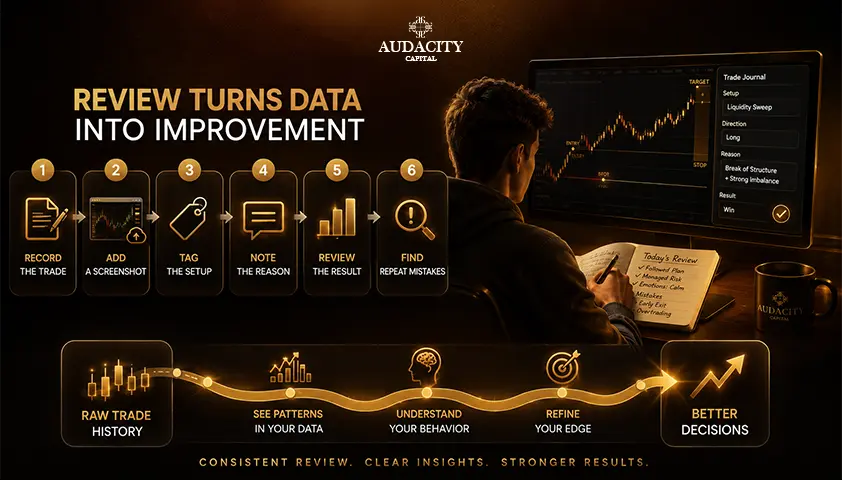
The best trading journal apps in the world will not help a trader who logs three trades and quits. Here are the rules that actually make journaling work.
1. Log every trade, including losers.
Especially the losers. The trades you least want to record are the ones with the most to teach you. Selective journaling produces selective insight, which is a polite way of saying no insight at all.
2. Record the reason for entry and the reason for exit, not just the numbers.
The setup, the market context, and what you were seeing in the moment. When you review a losing trade three weeks later, "why did I take this" is the question that produces improvement. Raw P&L will not answer it.
3. Review on a schedule, not only when something goes wrong.
A fixed weekly or monthly review is worth ten reactive reviews after a losing streak. Consistent review keeps the sample honest and catches drift before it becomes damage.
4. Track behavior and rule adherence, not only P&L.
The pattern that blows a prop firm account, or a personal one, is almost always behavioral: revenge trading after a loss, moving a stop, oversizing when confidence is running high. A journal that only logs price and size will miss all of it. Tag the behaviors, then review the tags.
5. Judge results over a meaningful sample.
Tens of trades at a minimum, not a good week or a bad one. Trading psychology gets ugly in small samples, because a good streak feels like skill and a bad one feels like a flaw in the strategy.
Neither is usually true. Position sizing decisions and setup evaluations belong to the larger sample, not the last three trades.
What to log on every trade: date and time, instrument, direction, entry price, exit price, size, setup name, reason for entry, reason for exit, and a one-line behavioral note.
If you cannot fill in the reason lines, that is data too. It usually means the trade was impulsive.
Backtesting a setup against historical data is a useful complement, but it does not replace journaling live trades. Historical data does not include your emotional state at 2 p.m. on a losing day, and that is precisely the variable a journal captures.
When Journaling Is Not Enough on Its Own - Introduction to Prop Firms.
A journal only ever shows you what already happened. It cannot create a track record on its own, and it cannot substitute for trading somewhere the rules and stakes are real.
At some point, the discipline you have built through journaling needs a real environment to prove itself in.
That is where Audacity Capital fits, and it is worth being precise about what that means.
Audacity Capital is a proprietary trading firm. It is not a broker, and it is not a journaling app.
It provides simulated funded accounts on MT5 and DXTrade, where the discipline a journal reveals gets tested against defined account rules, real drawdown limits, and a live payout structure.
There is a free trial that lets you test the platform, execution, and rules first, with a self-selected simulated balance and no card or ID required.
A free monthly competition adds a leaderboard and a real prize on the way to the funded programs. Beyond that sit the Ability Challenge, Ability One, and Instant funding routes.
If you want to see how your journaled habits hold up against real evaluation criteria, the free trial and the free competition are the low-risk starting points.
Related Articles
How to Keep a Trading Journal as a Funded Trader
Frequently Asked Questions
A spreadsheet is genuinely fine for a handful of trades a month. Active traders, roughly fifty or more trades per month, usually recoup a paid app's cost through time saved on entry and insights a spreadsheet will not surface, such as performance by setup or time of day. Below that volume, a well-maintained sheet works.
Several tools offer a genuinely usable free tier for low trade volumes, including TradesViz, Tradervue, and UltraTrader. Most cap the number of trades or accounts on the free tier and reserve broker auto-sync and deeper analytics for paid plans, so check the current limits on the vendor's site before relying on one long-term.
Many do, covering dozens to hundreds of brokers depending on the tool, but coverage varies by asset class and by broker. Most tools accept a CSV import as a fallback for brokers that are not directly supported, so verify your specific broker before subscribing.
It cannot guarantee it, and most traders do not pass an evaluation. Tracking drawdown against the firm's actual limits and reviewing rule adherence, not just P&L, does address the behavioral mistakes, like revenge trading or oversizing, that most commonly cause a failed evaluation. The journal reveals patterns; the discipline is still yours to apply.
Entry and exit price, size, the setup, the reason for entry, the reason for exit, and ideally your emotional state at the time. Numbers alone show you what happened. The reasoning and behavior are where the learning happens, and that is what separates a review from a scoreboard.
A broker statement shows what happened. A journal is built to show why, with tagging, notes, and analytics that group trades by setup, time, or condition so patterns become visible over a meaningful sample. One is a record; the other is a review tool.
Look specifically for sync with the platform your funded or personal account actually runs on, since futures-specific rails like Tradovate, Rithmic, and ProjectX vary by firm. A generic CSV import is a weaker substitute for real-time sync, especially if you trade actively enough that manual imports become a bottleneck.
A fixed weekly or monthly review, rather than only after a losing streak, catches patterns while the sample is still small enough to act on. Scheduled review also keeps the habit from feeling purely reactive, which is when most traders quietly stop opening the app.

Ready to apply disciplined risk to crypto? Explore Audacity Capital's new crypto instruments and bring your trading strategy.
Learn MoreNewsletter
Join our newsletter to stay up to date on features and releases.
Join Our Social & Community

Start Your Journey Today With Our Free Trial
Proudly showcase your skills and accomplishments through certificates and get recognition for your hard work and dedication from potential investors and peers.
Free TrialRelated Articles
Best Trading Simulator Apps in 2026: Practice Trading Risk-Free
Compare the best trading simulator apps in 2026 for stocks, forex, futures and crypto. See features, markets, realism, pricing and beginner-friendly options.


Trade Deficit Explained: Causes, Effects and Markets
What a trade deficit is, what actually causes it, why it can widen in a strong economy, and why the textbook currency rule often fails.

Spinning Top Candlestick Pattern: Meaning, Formation & How to Trade
Learn what the spinning top candlestick pattern means, how it forms, bullish and bearish setups, confirmation signals, trading strategies, examples, and risks.
GTC in Trading: What Good Till Cancelled Orders Mean and How to Use Them Properly
Learn what GTC means in trading, how Good Till Cancelled orders work, when to use them, and the risks of leaving pending orders active.